ArxOSthe security workstation, rebuilt from the kernel up.
A performance and security operating system on a clean Arch Linux base. It ships a native package manager, a live arsenal of security tools, a tuned kernel, fail-closed anonymity, and a Control Center that runs the whole machine.
Most security distros bolt tools onto someone else's desktop. ArxOS is tuned as one system, and ships things no other distro does.
Kernel, package manager, tools, privacy, and the desktop are built together and tuned together, tested on real hardware before every release. Every tile below is engineering specific to ArxOS, verified working on this exact system.
Exclusive to ArxOS
arx's foreign-package installer scans every .deb/.rpm maintainer script for danger before it runs, auto-imports the AUR's missing GPG signing keys instead of failing cold, and every browser ships wired so WebRTC and DNS cannot quietly route around your anonymity. No other distro does all three.
Fast where it counts
Compiled native code handles the heavy paths: a repeated search or lookup returns in milliseconds, and an install runs the real transaction at full native speed, with a live per-package view instead of a wall of scrollback.
Tuning compiled into the kernel
linux-arxos carries a responsive scheduler, full preemption, a high timer rate, and faster networking compiled in, so the tuning survives every update instead of living in a fragile dotfile you have to reapply.
Small, then as big as you want
The base install is lean with a default loadout of essential tools. Pull the full 2,858-tool arsenal only when a job needs it.
Private by default, verified not assumed
Full-disk encryption, a command guard that vets every command, and fail-closed anonymity compiled into the kernel itself. anond proves the kill switch, Tor, and DNS pin are all actually up before it ever reports active.
Red and blue on one machine
Offense, defense, and forensics share one tuned base, so you switch tasks without switching computers.
02
What's inside
Everything the workstation needs, built by us.
Each part is an ArxOS-native tool, self-updating, tested on the machine before it ships. No grab-bag of unmaintained scripts.
arx
# update the system, the kernel, and the ArxOS tools, in one step$ arx update
# ask for several at once. arx finds each one for you:$ arx install obs vlc google-chrome
arch repo (2) obs vlc
AUR (1) google-chrome (build from source)
proceed? [Y] all found [s] select [n] stop
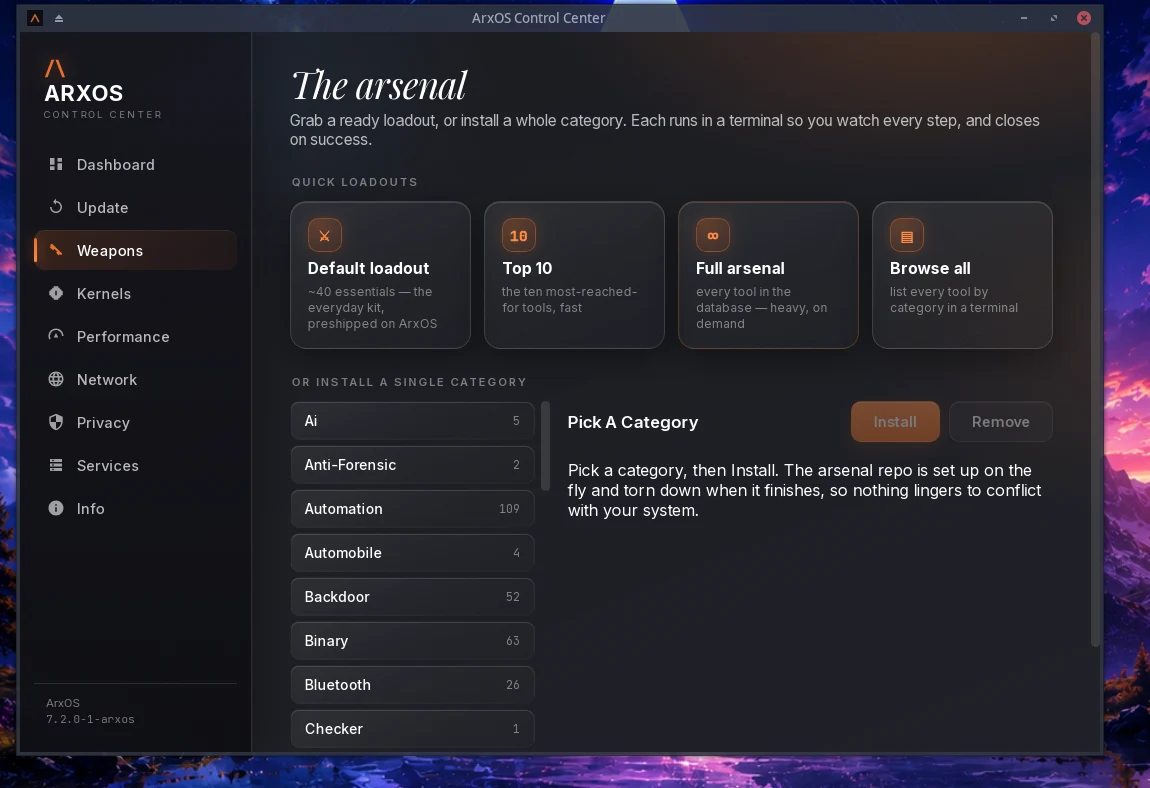
# grab a whole category of security tools, live$ arx weapons install default
arx. One command for the system and the tools.
arx installs from the official repositories and the AUR without any extra helper. Ask for several packages at once and arx sorts them for you: what is in the repositories, what needs building, and what was not found. You choose how to proceed.
Official repositories and the AUR, built in. No second tool to install.
Installs .deb, .rpm, .AppImage, and archive files alongside Arch packages.
Checks AUR build files for risky patterns before it builds them.
Repairs keyring, mirror, lock, and database errors on its own.
Installs the security arsenal by category, or a ready loadout, in one line.
Control Center
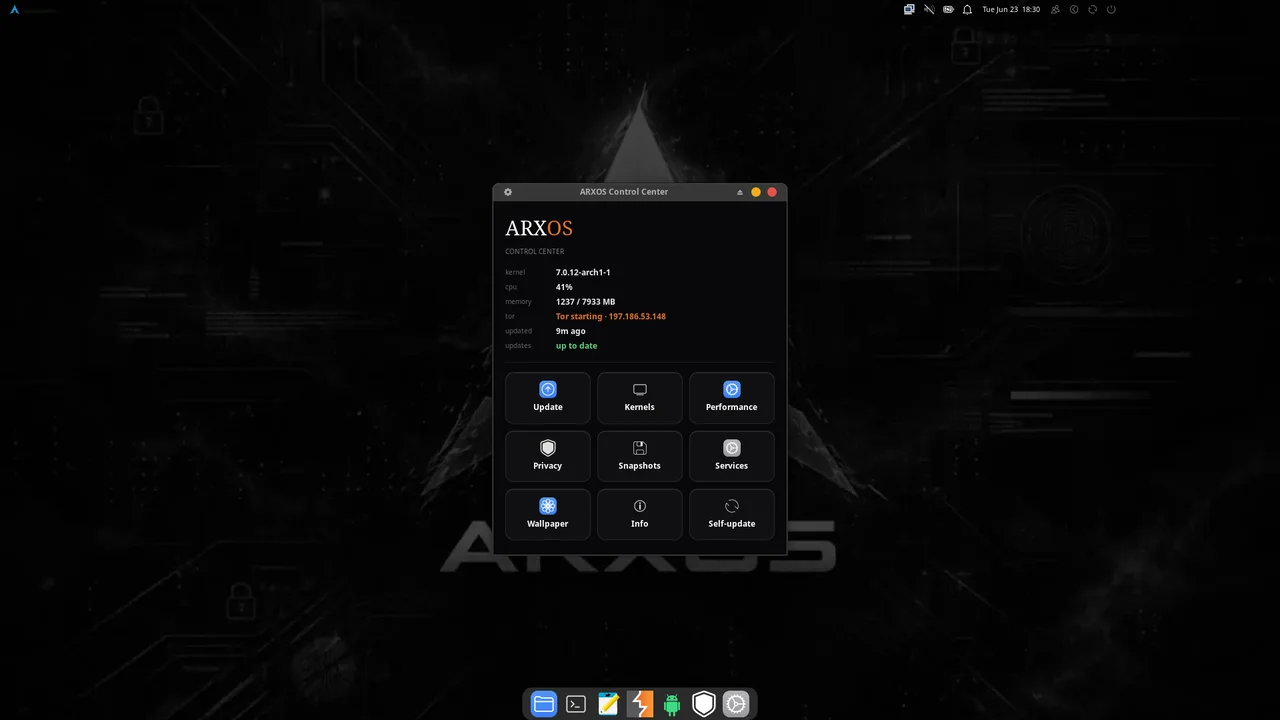
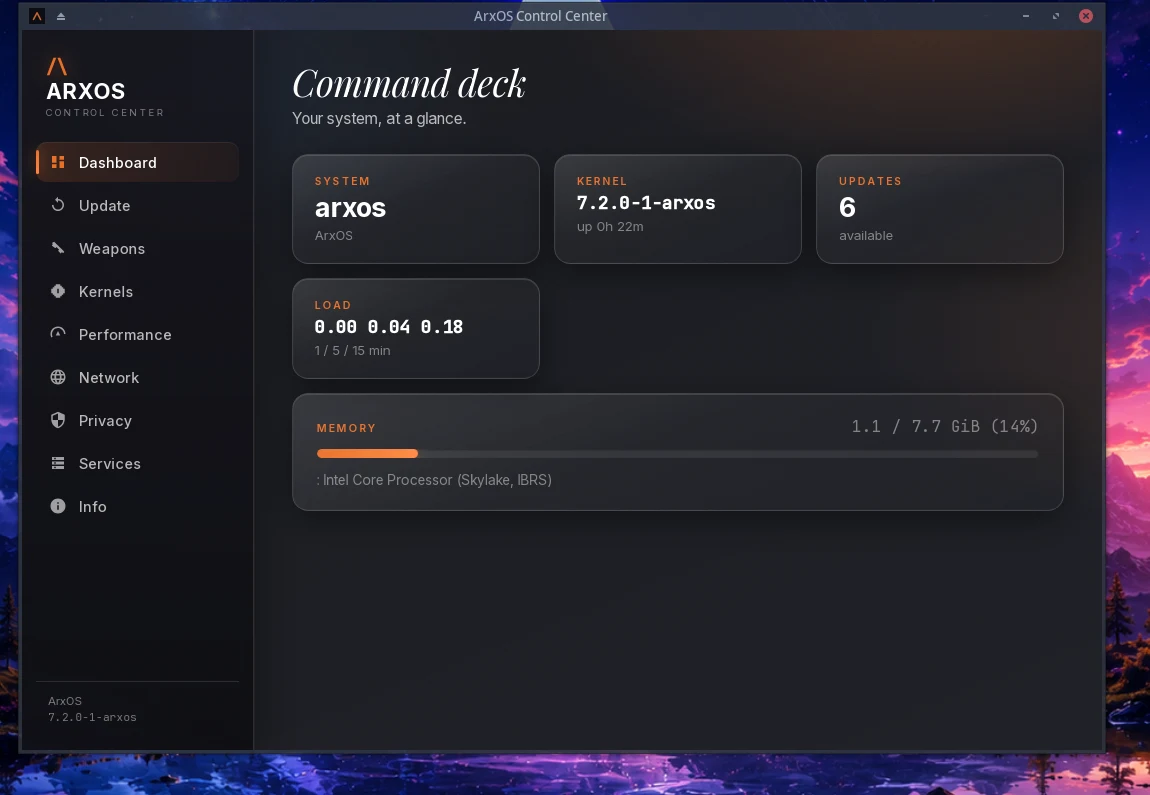
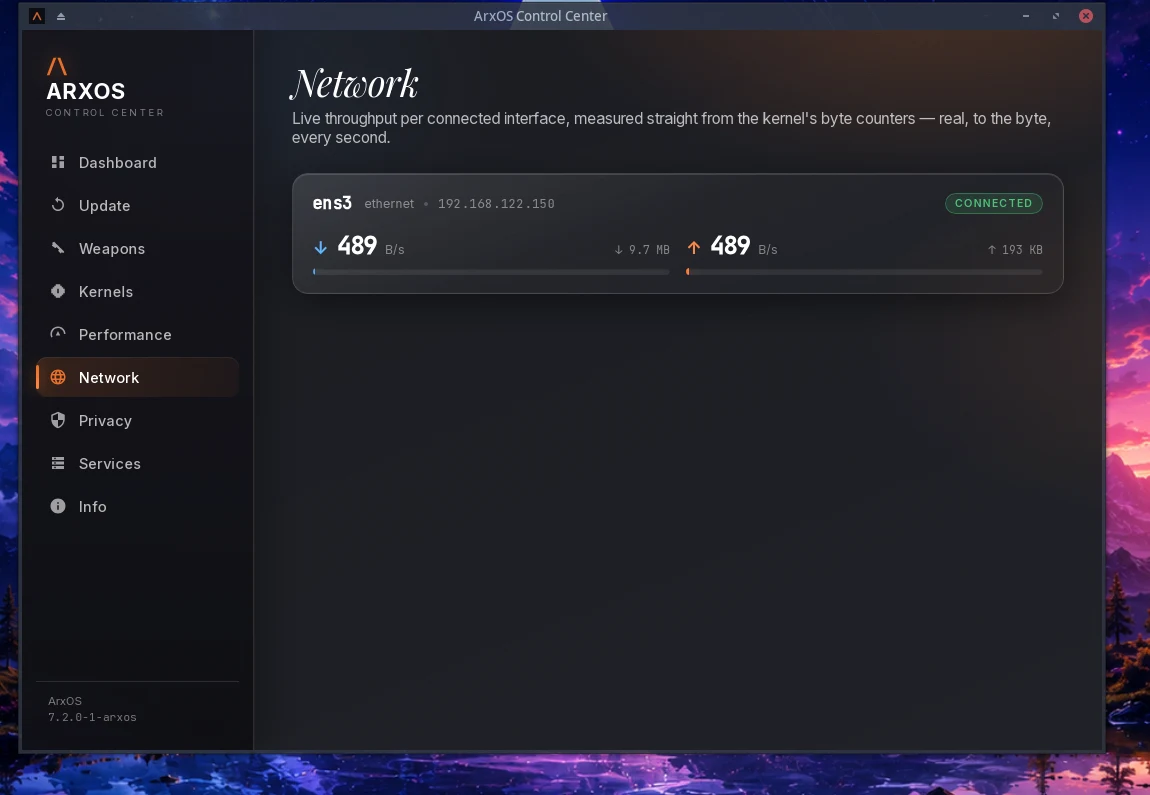
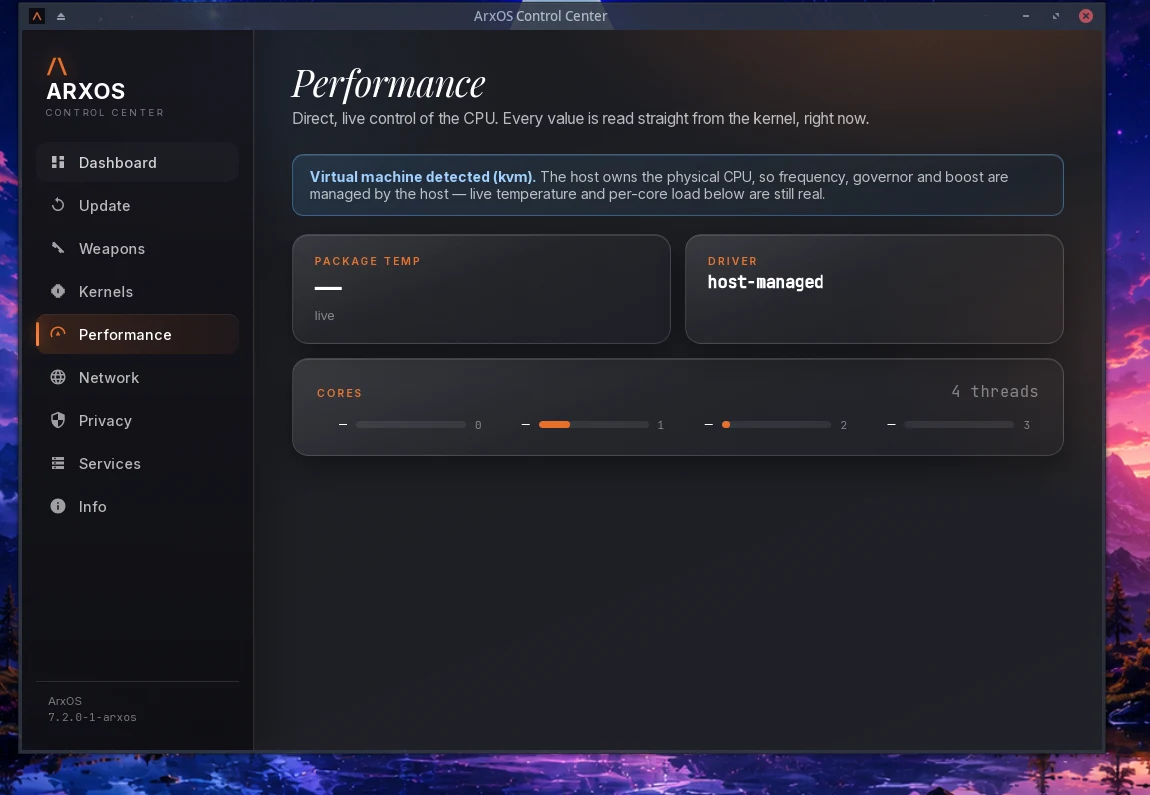
A native app that runs the whole system: live stats, updates, the arsenal, kernels, direct CPU control, a live network panel with port hardening, privacy, and a full theming panel that restyles the desktop for everyone at once. It opens instantly and sits light on the machine.
native · Rust + GTK4
Make it yours
Theme the whole desktop from one panel: accent colour, blur and translucency, fonts, window controls, a floating rounded top bar and dock, icons and the login background. Pick a full look or mix your own. Every change lands for all accounts at once, and the login and lock screen follow your wallpaper.
theming · system-wide
The arsenal
2,866 security tools you install on demand, organised by category. The slim image stays lean; pull a ready loadout (the 40-tool default, top 10, or the full set) or a single category live with arx weapons, and the repository is set up on the fly and torn down when it finishes.
bug bounty · offense · defense · research
Tuned kernel
Two ArxOS kernels on the latest base: a responsive default and a real-time build. Live patching, kernel-level privacy primitives, and fast device access are compiled in.
linux-arxos 7.2.5-1
anond privacy
Whole-system anonymity, fail-closed: the kill switch is armed before Tor and removed last, DNS is pinned to Tor, IPv6 is dropped, and an optional i2p overlay rides alongside. It proves each layer before it reports active.
Tor · i2p · verified
Guarded shell
A zero-trust command guard scans every command before it runs and blocks the dangerous ones, so a bad paste or a hostile script does not get a free shot.
pre-exec scan
Hardened browsers
Firefox, Waterfox, and Brave ship pre-patched: WebRTC cannot leak your real IP even through a transparent proxy, built-in DNS-over-HTTPS is off so lookups defer to anond's Tor-pinned resolver instead of quietly bypassing it, and every telemetry and tracking channel is closed. Reapplied automatically after every browser update.
WebRTC-safe · DNS deferred to anond · auto-reapplied
03
Performance
Fast on the first run. Instant on the next.
arx remembers what it reads and refreshes the moment your package databases change, so a repeated search or lookup returns in milliseconds with results that stay exactly correct.
9ms
A repeated package search
the standard tool: ~310 ms, every time
~34×
Faster on repeated searches
with the exact same results
10ms
A repeated package lookup
the standard tool: ~285 ms
1
Tool for repos, the AUR, and local files
no extra helper to install
Measured on ArxOS against the standard Arch tools on the same package databases. The first search of the day matches the standard tool; every repeat after it is near-instant.
04
Combat loadout
Combat-ready in one command.
The slim image ships lean and fast, with the full ArxOS toolkit built in. When a job calls for the offensive and defensive kit, one command installs the curated default loadout: forty tools across recon, web, Active Directory, passwords, wireless, reverse engineering, and forensics. Pull a single category, the top ten, or the full arsenal the same way.
$arx weapons install default# the 40-tool loadout below
Kept lean on purpose: shipping all of these on the ISO would drag the download toward the full edition's size. The full edition comes with the entire arsenal already installed if you would rather have it all up front.
05
The kernel
Two kernels. Pick the one your work needs.
Both share the same tuning and the same tools. They differ in one thing: how they handle timing. The default is installed and starts on its own; the real-time build sits next to it, ready at the boot menu.
linux-arxos default · 7.2.5-1
The daily driver. Balanced, fast, and responsive for desktop use, security work, and servers: high throughput with low latency. This one starts by default.
Use it for almost everything.
linux-arxos-rt real-time · 7.2.5-1
Hard real-time timing. Predictable, bounded response for radio, SDR, and wireless capture, where a late sample is a lost sample. It trades a little raw throughput for timing you can count on.
Use it for RF, SDR, and live signal work.
What every ArxOS kernel carries
Live kernel patchingSecurity and stability fixes apply to the running kernel without a reboot, so the machine stays current without downtime.
Kernel-level privacyModern packet filtering, WireGuard, network and user isolation, and encrypted key storage are compiled in, so anonkit works at the kernel level itself.
Low-level device accessFast, direct device input and output, including raw USB and a high-performance I/O path, so hardware tools talk to devices quickly and reliably.
Performance baseA responsive scheduler, faster networking, a high timer rate, full preemption for low latency, and better memory behaviour under load.
06
Under the hood
What do we bring to the table.
The engineering that ships in the base image, tested on real hardware before every release. Not settings you apply after install, built into the system itself.
Kernel & scheduling
linux-arxos on the latest tuned base, with a responsive scheduler and full kernel preemption compiled in.
High-resolution timers and tuned networking for low latency under load.
A real-time flavor, linux-arxos-rt, with hard preemption for RF, SDR, and live capture.
Live kernel patching, so security fixes land without a reboot.
Memory & hardening
Freed memory is zeroed on allocation and release (init_on_alloc + init_on_free), so secrets do not linger in RAM.
Hibernation is disabled, so no plaintext image of your RAM is ever written to disk.
Restricted kernel logs (dmesg), enforced module signatures, and IOMMU on to contain DMA.
zram compressed swap (zstd, sized to your RAM) is on by default: RAM-speed overflow instead of slow disk paging.
Integrity & boot
Kernel lockdown runs in integrity mode on the command line, not just compiled in.
IMA measured boot and Secure Boot support with a signed unified kernel image.
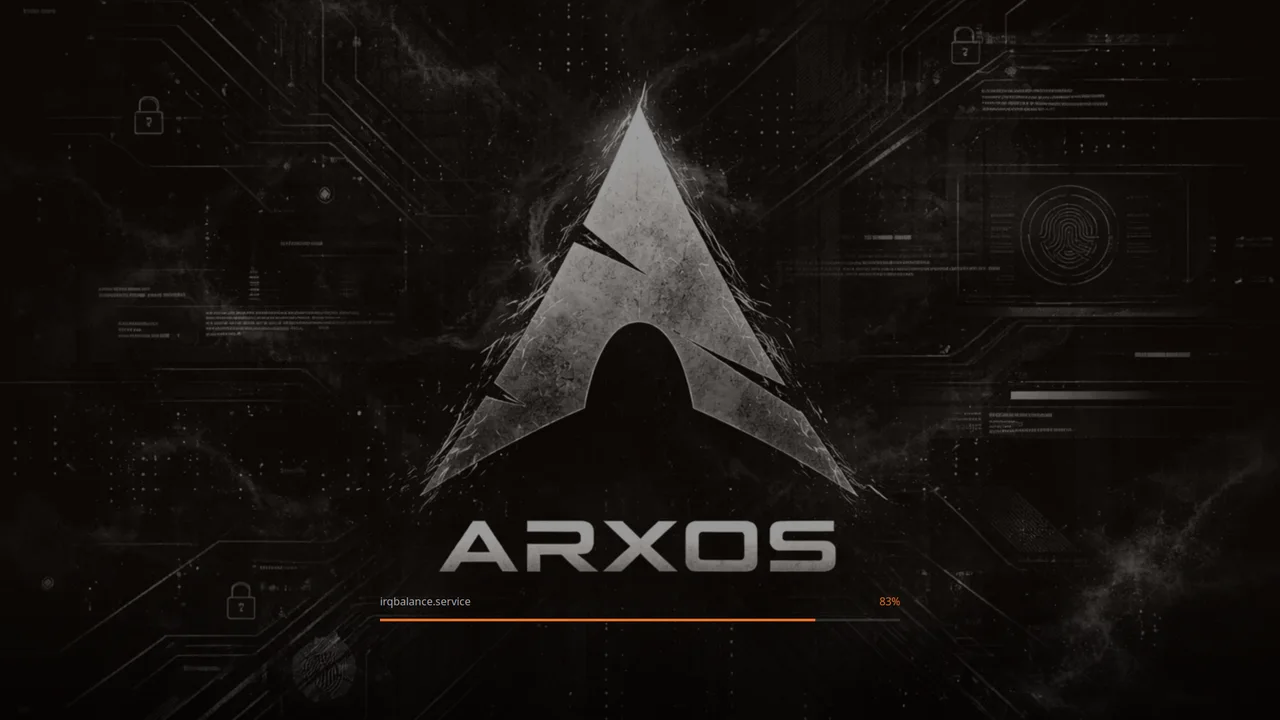
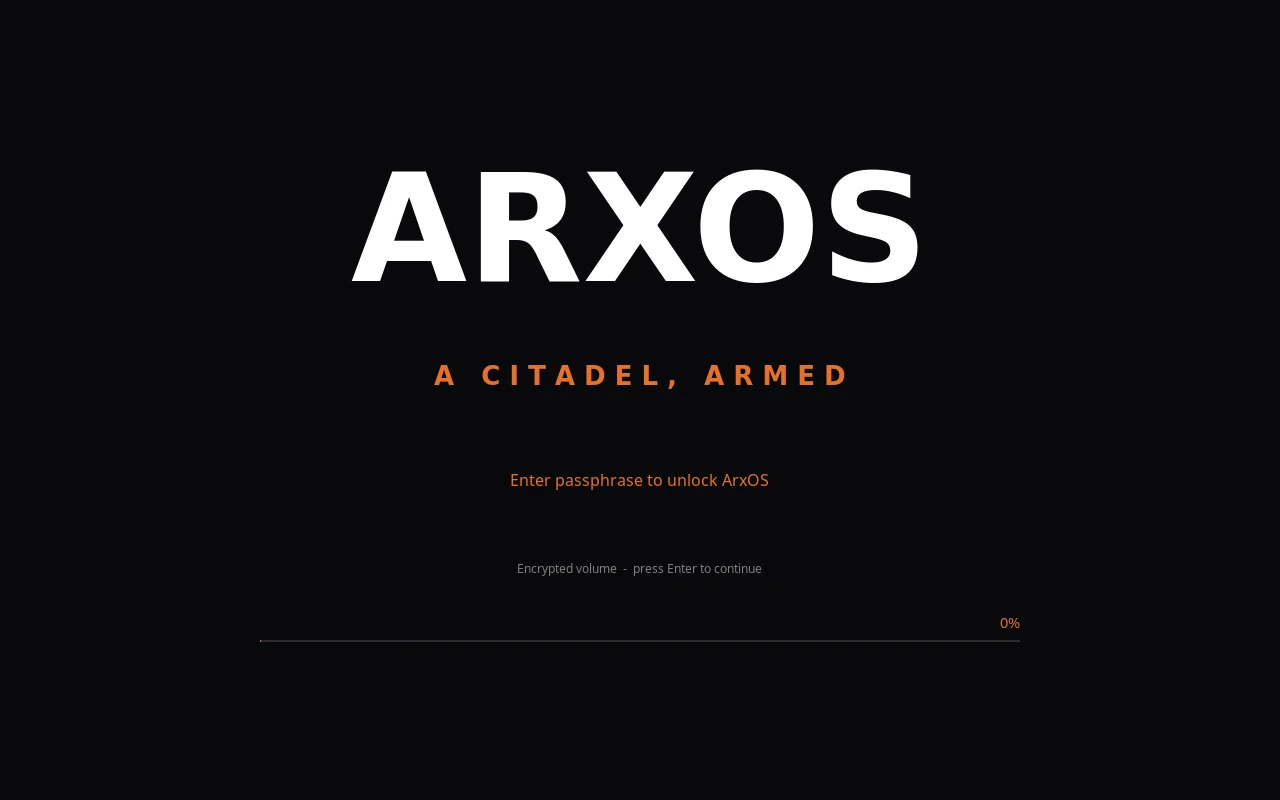
Themed GRUB and a Plymouth boot splash that draws the encryption prompt itself.
Encryption & anti-forensics
LUKS2 full-disk encryption by default, with a separate unencrypted /boot and a passphrase prompt at boot.
DEATHSTROKE (opt-in, experimental): a duress passphrase, or too many wrong tries, triggers a recovery-preserving crypto-erase. Irreversible by design, so try it in a virtual machine first.
It unlocks pre-boot from the initramfs, can seal to the TPM, hooks every password prompt, and resumes across power loss.
Anonymity & network
anond arms a fail-closed nftables kill switch before Tor and removes it last, so traffic can never leak around it.
DNS is pinned to Tor, IPv6 is dropped, and existing connections are flushed when it arms.
An optional i2p overlay rides alongside, and every layer is verified up before it reports active.
Package & system
arx is native Rust on libalpm, running the transaction in-process instead of shelling out.
Native AUR, plus .deb / .rpm / .AppImage installs detected by content and scanned before they run.
Native kernel management with fail-closed sha256 verification, self-healing keyring and mirrors, and atomic self-update.
A zero-trust shell guard scans every command before it executes and blocks the dangerous ones.
Browsers & delivery
Firefox, Waterfox, and Brave ship pre-patched: WebRTC cannot leak your real IP, and built-in DNS-over-HTTPS is off so lookups defer to anond.
Telemetry and tracking channels are closed, and the patches reapply automatically after every browser update.
Kernel and tool updates arrive over Cloudflare R2, each verified by sha256 before it installs.
07
See it
One identity, from first boot to the desktop.
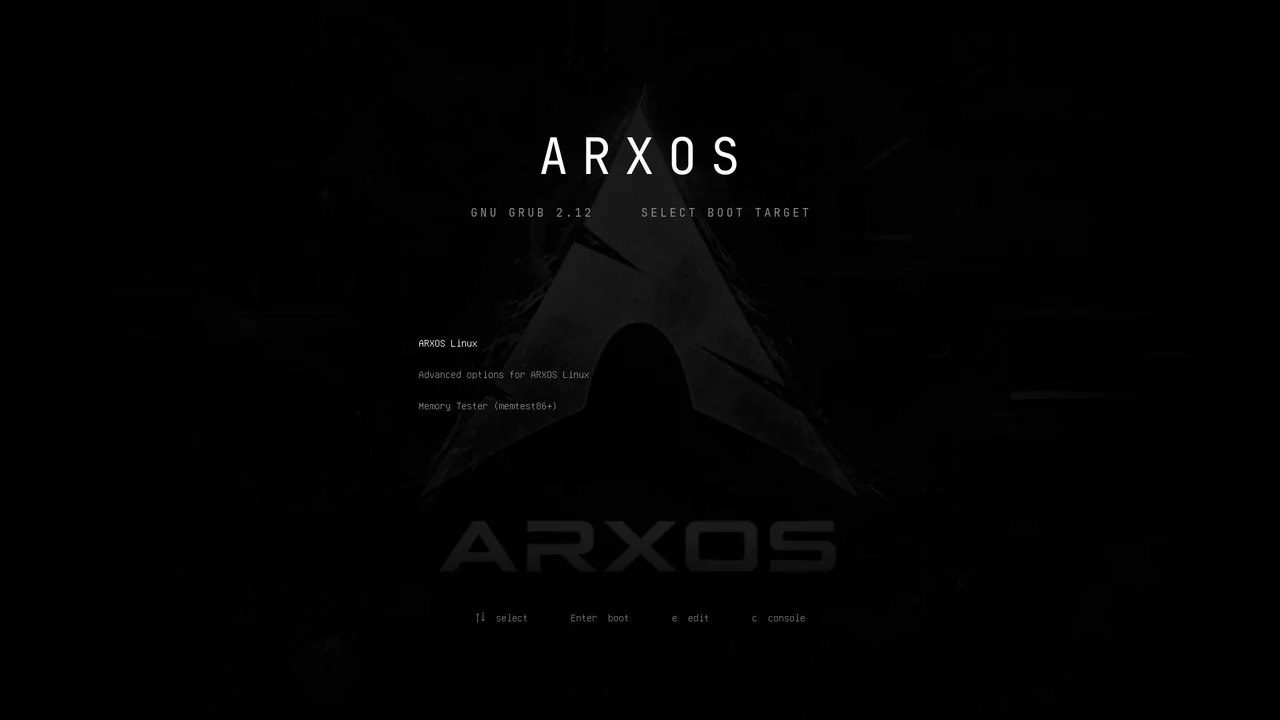
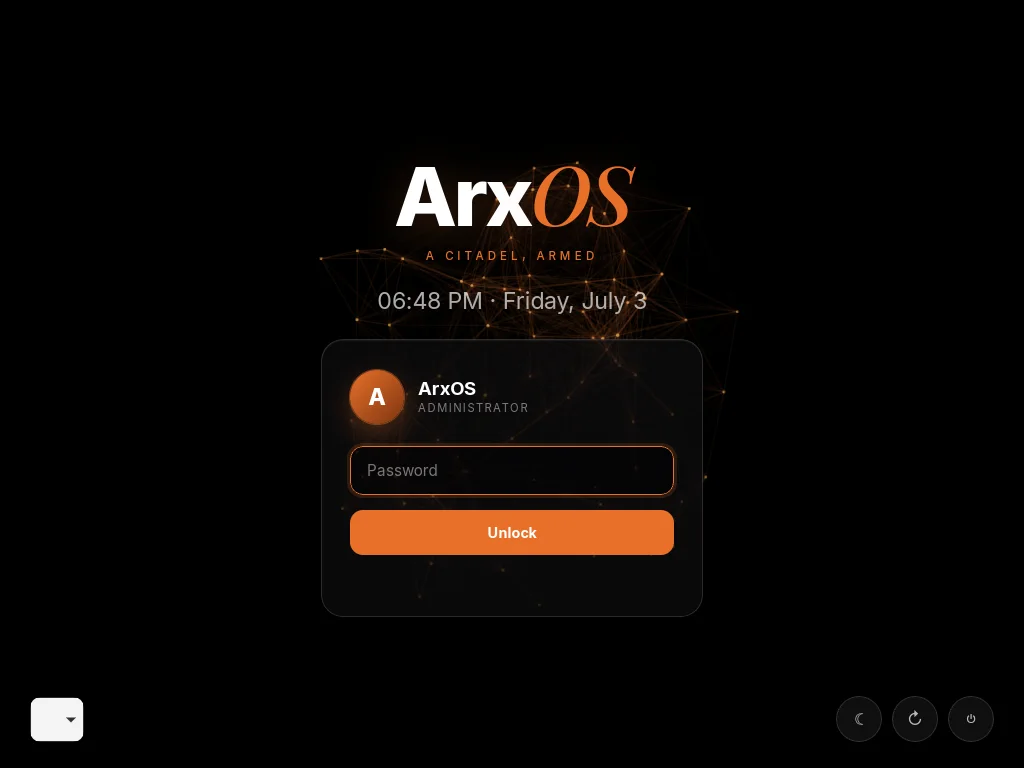
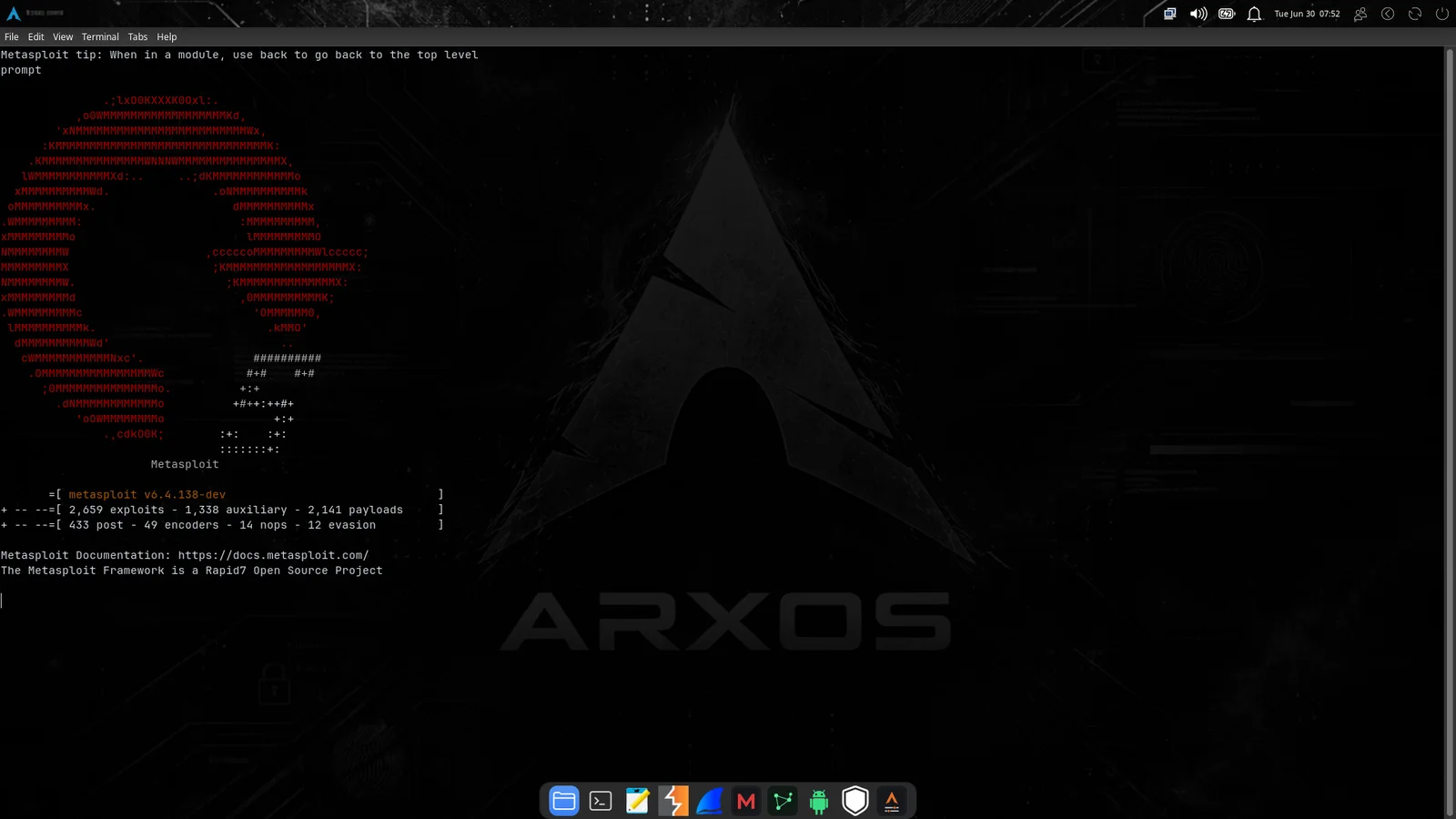
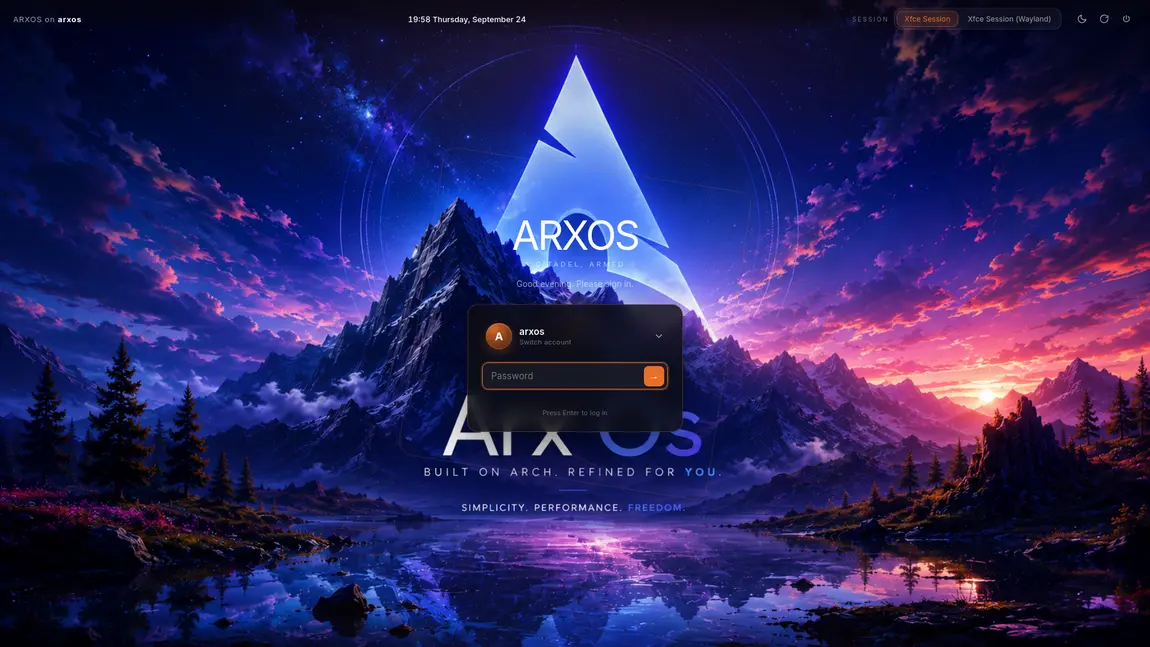
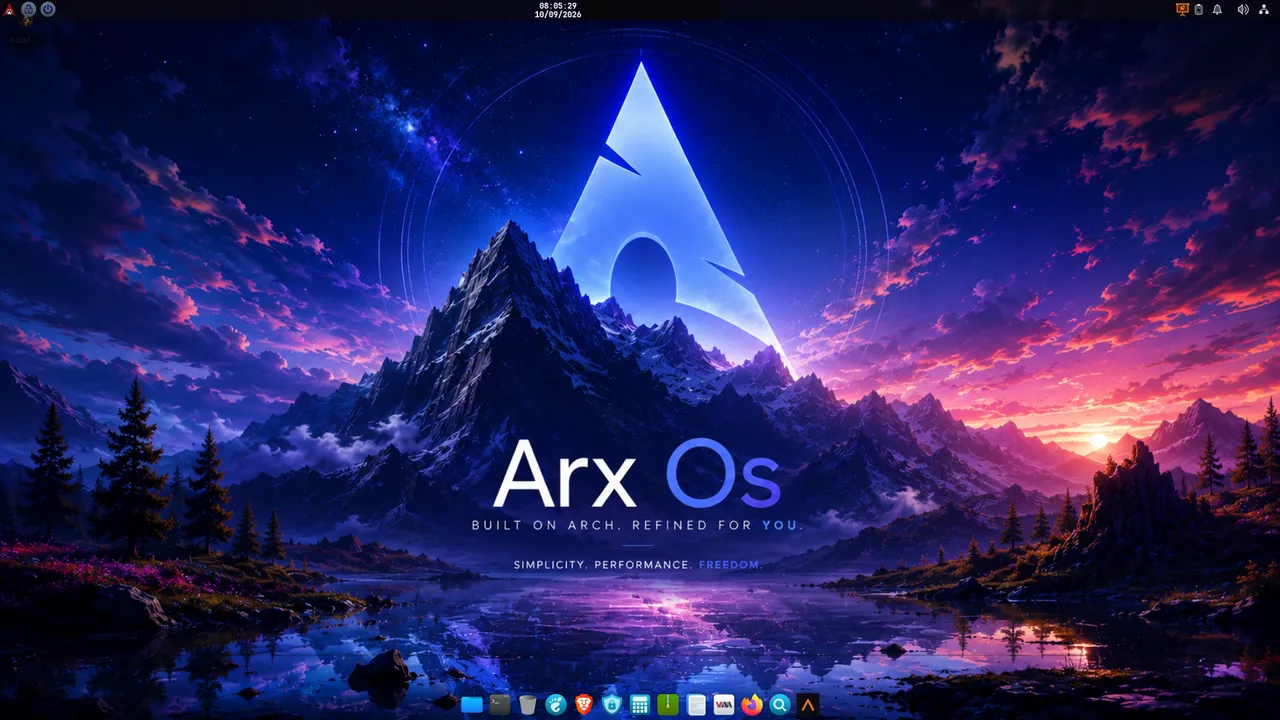
The ArxOS look carries all the way through: the boot splash, the menu, the lock screen, the desktop, the terminal, and the native Control Center that runs the whole system. Tap any shot for the full view.
DesktopThe desktopBootBoot splashGRUBBoot menuLockLock screenTerminalThe terminalControl CenterCommand deckNetworkLive throughputArsenalWeapons loadoutsThemingMake it yoursPerformanceDirect CPU controlDEATHSTROKEArmed pre-bootInstallerEncrypted installFinishInstalledMenuFind the installer
08
Before you start
System requirements.
ArxOS runs on any 64-bit PC from the last decade, and on virtual machines. These are comfortable minimums; more memory and an SSD make it noticeably snappier. For the strongest anti-theft and anti-tampering protection, a TPM 2.0 chip and Secure Boot are recommended.
Processor
64-bit x86_64
Any Intel or AMD CPU from the last ~10 years.
Memory
4 GB minimum
8 GB or more recommended for heavy tools.
Disk
30 GB free
An SSD is recommended. More for the full arsenal.
Firmware
UEFI or BIOS
Both boot modes are supported.
TPM 2.0 recommended
Security chip
Ties your encryption to your machine so it only unlocks on your own, untampered computer. On most laptops made since ~2016.
Secure Boot recommended
UEFI feature
Confirms the software starting your machine has not been swapped or tampered with.
Installer
8 GB USB stick
To flash the ISO and boot from it.
Graphics
Any GPU
Intel, AMD, or NVIDIA. Works in a VM too.
09
Installation
From download to desktop, step by step.
New to Linux? Follow these in order. You will download one file, put it on a USB stick, boot from it, try ArxOS live, then install it. It takes about twenty minutes, most of which is the computer copying files.
1
Download the ISO
The ISO is one file that contains the whole operating system. ArxOS 0.0.1 ships as a single slim image: a lean base with the ArxOS toolkit built in, and you add the security tools you want on demand with arx after install. The countdown below shows when 0.0.1 goes live; the moment it does, the download button and its SHA256 appear here for you to verify the file against.
Verify it downloaded cleanly. On Linux or macOS run sha256sum arxos-*.iso (or shasum -a 256) and check the number matches the checksum file. On Windows: certutil -hashfile arxos.iso SHA256. If they match, the file is intact.
ArxOS 0.0.1 releases in
--days
--hours
--minutes
--seconds
0.0.1 is a beta release. It is installed and boot-tested on real hardware and in virtual machines before publishing, but it is still early and you should expect rough edges. If you are trying ArxOS for the first time, run it in a virtual machine (QEMU/KVM) first so you can look around without touching your real disk. The one-command VM setup is below.
Known issue on this build: the login screen can reject the password you chose during installation. The cause is fixed in the installer, it just landed after this image was built, so 0.0.1 is the only affected release and 0.0.2 will ship with all of these fixes (see What is coming in 0.0.2). If it happens, you do not need to reinstall: you can set a new password from the boot menu, and the steps are in Recovering a login. After you get in, run arx update straight away so your tools pull the current fixes.
Do not enable DEATHSTROKE on this build. Leave the installer's DEATHSTROKE option switched off. It is an emergency anti-forensics system whose whole purpose is to destroy the encryption keys, it is still experimental, and its pre-boot path has not been verified from an installed system yet. It also blocks the password recovery above, because the recovery works at the boot menu and DEATHSTROKE is armed at exactly that point. Enabling it on a beta build risks losing the contents of the disk permanently.
Our own burner, built for this. It refuses to touch the disk your system is running on, unmounts the stick for you, and when the write finishes it reads every byte back off the stick and hashes it against the image, so you know the stick is good before you boot it. One binary, no dependencies, and it can fetch the ISO for you as well.
# build it once
git clone https://github.com/0xb0rn3/arxburn && cd arxburn && cargo build --release
sudo install -Dm755 target/release/arxburn /usr/bin/arxburn
# see what is plugged in (your system disk is marked and can never be a target)
arxburn list
# download ArxOS and write it in one step, hash checked at both ends
sudo arxburn get arxos --to sdc
# or write an ISO you already have, against the checksum above
sudo arxburn write arxos-0.0.1.iso --to sdc \
--expect 18d87568b4e2cf4d2e83bb0052c93a5d76b12708bd942e86029ea612c1f2d44d
There is a window for it too: arxburn-gui. Downloads pull byte ranges over several connections at once, and over every network you have at the same time, using dnengine, so a slow mirror is no longer the ceiling.
✓ Refuses the disk carrying your system, under every flag✓ Reads the stick back and verifies it byte for byte✓ Also fetches Arch, Debian, Fedora, Kali, Windows and more
Prefer the old way? dd if=arxos-0.0.1.iso of=/dev/sdX bs=4M status=progress oflag=sync still works. Check the device name twice: dd will not.
Recommended: run ArxOS in a VM (one command)
Never used QEMU/KVM? This script installs virtualization, fixes every permission and network setting so nothing breaks after a reboot, finds or downloads the ISO, asks how much RAM and how many cores to give the VM based on your hardware, and boots ArxOS. It works on Arch, Debian/Ubuntu, Fedora, and openSUSE (it auto-detects your package manager). Paste this into a terminal:
# download the setup script, then run it (it explains every step as it goes)
curl -fsSL https://arxos.uk/arxos-vm-setup.sh -o arxos-vm-setup.sh
bash arxos-vm-setup.sh
Prefer not to use curl? Open arxos-vm-setup.sh, copy all of it, then in a terminal run cat > arxos-vm-setup.sh, paste, press Ctrl-D, and run bash arxos-vm-setup.sh.
✓ QEMU/KVM, recommended, fully tested (UEFI + BIOS)✓ VMware Workstation✗ VirtualBox, cannot boot this live ISO yet
VirtualBox's own firmware cannot hand off to an Arch-style live ISO (it stalls before loading the live system), so ArxOS will not boot there yet. It boots and installs cleanly in QEMU/KVM and VMware. Full explanation →
This "flashes" the ISO onto an 8 GB or larger USB stick and makes it bootable. It erases everything on the stick, so use an empty one. Pick whichever tool matches your current computer.
Ventoy easiest Get VentoyWindows, Linux, macOS. Set it up once, then copy ISOs on like normal files forever after.
1. Open the download page above. Under Download, take ventoy-x.x.xx-windows.zip on Windows or ventoy-x.x.xx-linux.tar.gz on Linux.
2. Extract the archive (right-click → Extract All on Windows; tar -xf ventoy-*.tar.gz on Linux).
3. Plug in your USB stick. Run Ventoy2Disk.exe (Windows) or sudo ./VentoyGUI.x86_64 (Linux) from the extracted folder.
4. In the Device dropdown, pick your USB stick. Check the size matches your stick, since this erases it.
5. Click Install, confirm the two warnings. It finishes in about 30 seconds. This is the only time you ever format it.
6. The stick now shows up as a normal drive named Ventoy. Drag arxos.iso onto it, wait for the copy to finish, and eject safely. Done.
balenaEtcher Get balenaEtcherWindows, macOS, Linux. Point-and-click, three buttons.
1. Download from the link above and install it (on Linux, mark the .AppImage executable: chmod +x balenaEtcher-*.AppImage, then run it).
2. Plug in the USB stick and open Etcher.
3. Click Flash from file and select your downloaded arxos.iso.
4. Click Select target, tick your USB stick, then Select. Check the size matches, since this erases it.
5. Click Flash! and enter your password if asked. It writes, then verifies on its own.
6. Wait for "Flash Complete", then unplug. Ignore any Windows popup asking to format the drive.
Rufus Get RufusWindows only. Portable, nothing to install.
1. On the link above, scroll to Download and take rufus-x.x.exe. Double-click it; there is no installer.
2. Plug in the USB stick. Rufus picks it up automatically under Device. Confirm it is the right one.
3. Next to Boot selection, click SELECT and choose your arxos.iso.
4. Leave Partition scheme on GPT and Target system on UEFI for any PC from the last decade. Only choose MBR/BIOS if the machine is genuinely old.
5. Click START. If it asks about ISOHybrid, keep Write in ISO Image mode and click OK. Accept the erase warning.
6. Wait for the bar to read READY, then close Rufus and unplug.
dd (Linux / macOS)Already installed. Fast, but it does exactly what you tell it, so identify the disk carefully.
1. With the USB unplugged, run lsblk (Linux) or diskutil list (macOS) and note what is listed.
2. Plug the USB in, run the same command again. The new entry is your stick, for example /dev/sdb or /dev/disk3. Match it by size.
3. Unmount it (do not eject): sudo umount /dev/sdX* on Linux, diskutil unmountDisk /dev/diskN on macOS.
4. Write it: sudo dd if=arxos.iso of=/dev/sdX bs=4M status=progress oflag=sync. Replace /dev/sdX with the whole disk, no partition number.
5. Wait for dd to print the bytes-copied summary, then run sync and unplug. Writing an 8 GB image takes several minutes with no output until it finishes.
No spare USB stick? Run it in a virtual machine instead: skip straight to booting the .iso as a virtual disc, no flashing needed. QEMU/KVM (Linux): qemu-system-x86_64 -enable-kvm -m 4096 -smp 2 -cdrom arxos.iso -drive file=arxos.qcow2,format=qcow2, or use virt-manager's GUI. VirtualBox: New VM (Linux, Arch 64-bit), 4 GB RAM, 30+ GB disk, then Settings → Storage → attach arxos.iso to the optical drive. VMware Workstation Player: New VM → "Installer disc image file (ISO)" → point at arxos.iso; choose "I will install the OS later" first if the wizard does not recognise ArxOS, then attach the ISO. In all three, boot the VM straight into the live desktop, same as real hardware.
3
Boot from the USB stick
Leave the stick plugged in and restart the computer. As it powers on, tap the boot-menu key repeatedly until a menu appears, then choose the USB stick (it often shows the brand name, or "USB"). Running in a VM instead? It boots straight from the attached ISO, so skip to the next step.
The boot-menu key depends on the maker: commonly F12, Esc, F10, or F9. To reach firmware settings it is often Del or F2. If Windows loads instead, restart and try the next key. In firmware, turn Secure Boot off if the USB will not start.
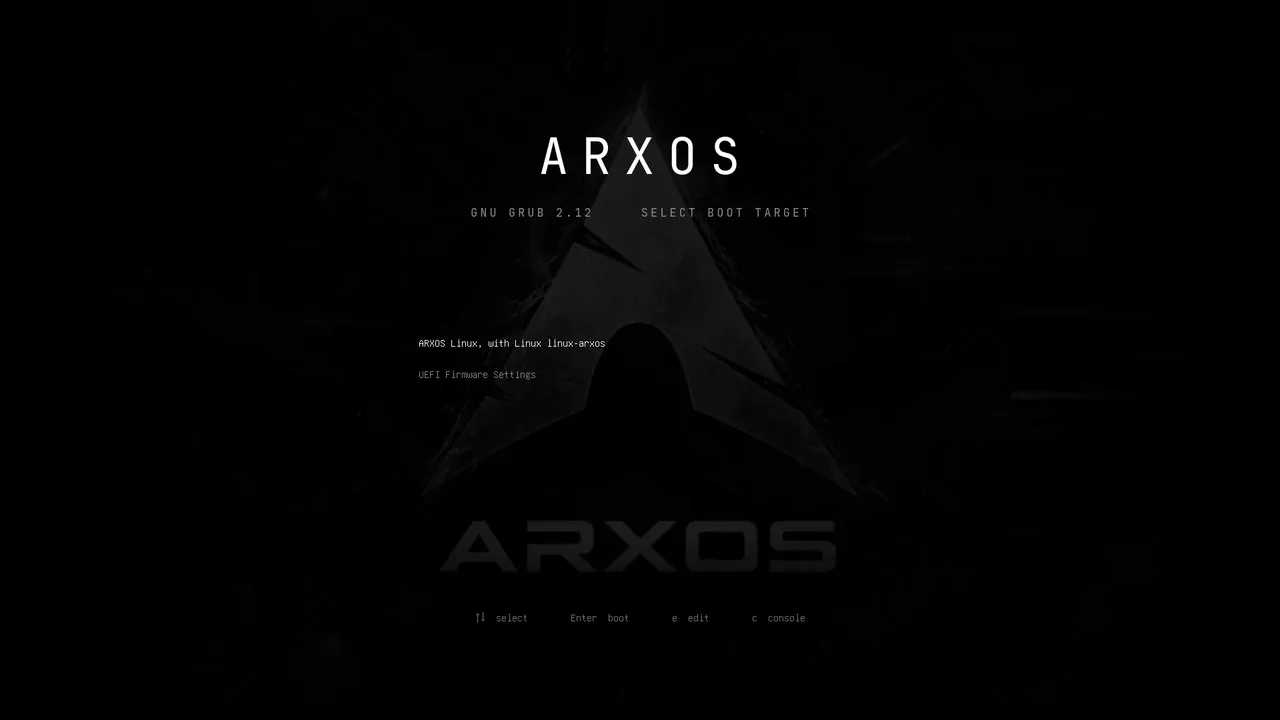
The ArxOS boot menu: pick "ARXOS Linux" and press Enter.
4
Try it live
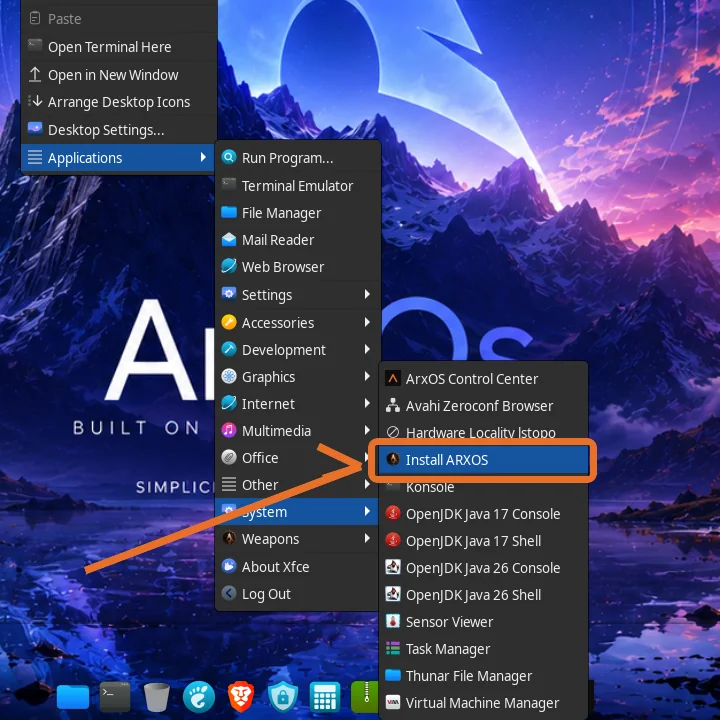
ArxOS starts straight into a full live desktop running entirely off the USB stick. Nothing on your computer has changed yet. Look around, open the terminal, test your Wi-Fi and touchpad. When you are ready, start the installer either way: double-click Install ArxOS on the desktop, or open the applications menu and go to Applications → System → Install ARXOS.
First double-click may ask to trust the launcher. The desktop shows an “Untrusted application launcher” prompt the first time. Choose Trust and Launch (or right-click the icon and pick Allow Launching) and it opens normally from then on.
The live desktop: the Install ArxOS icon sits top-left.Or from the menu: Applications → System → Install ARXOS.
5
Install ArxOS
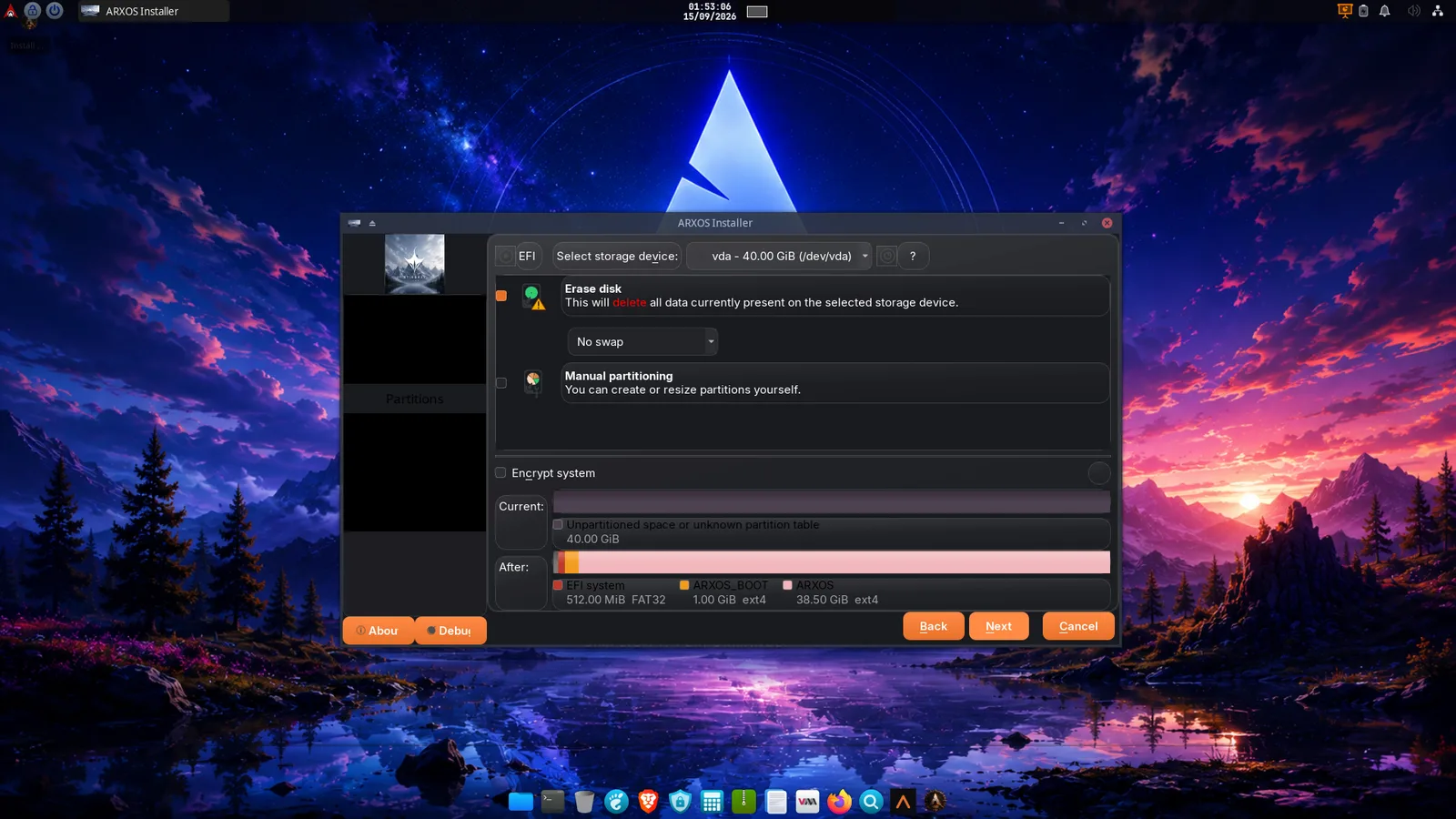
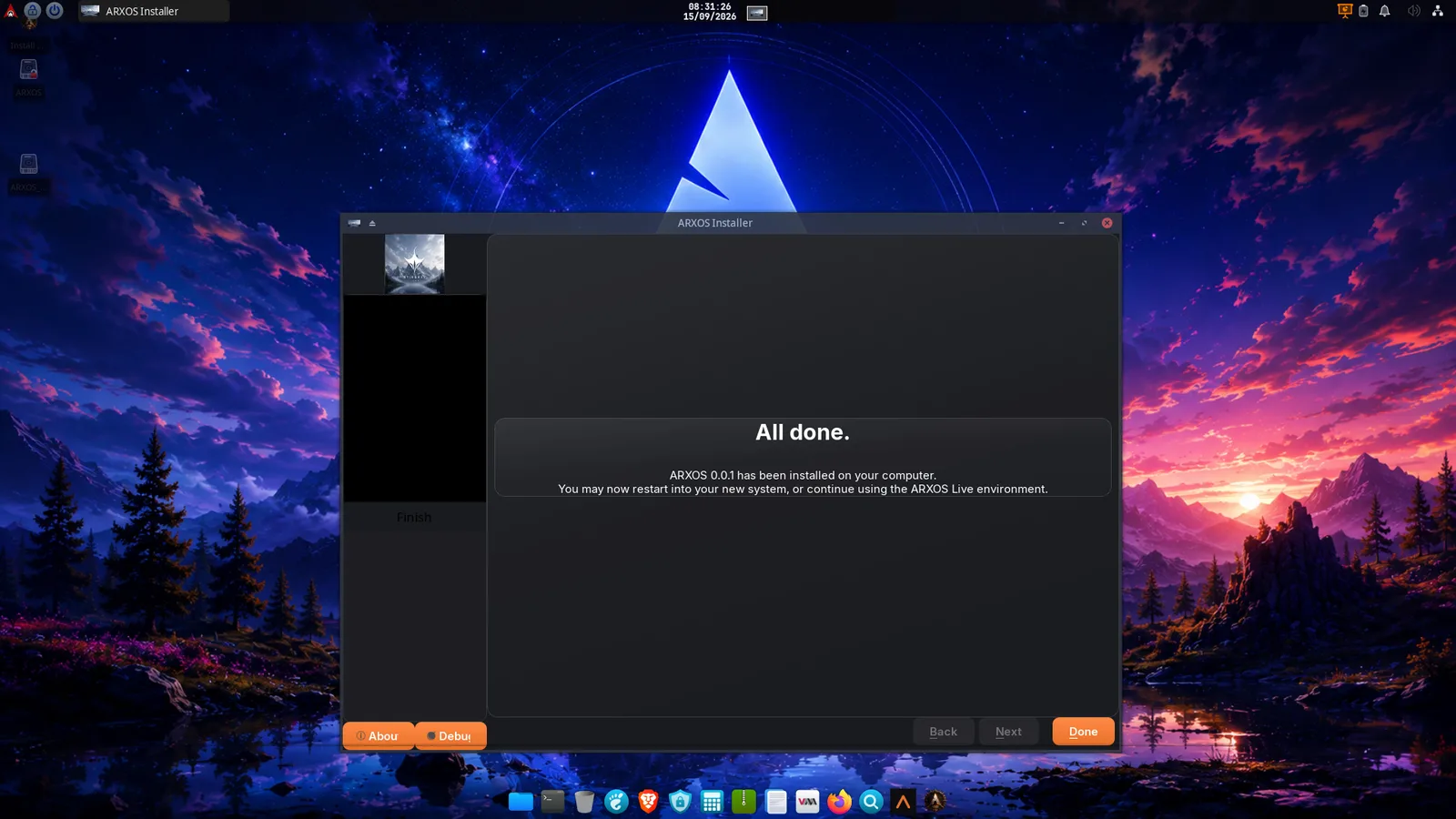
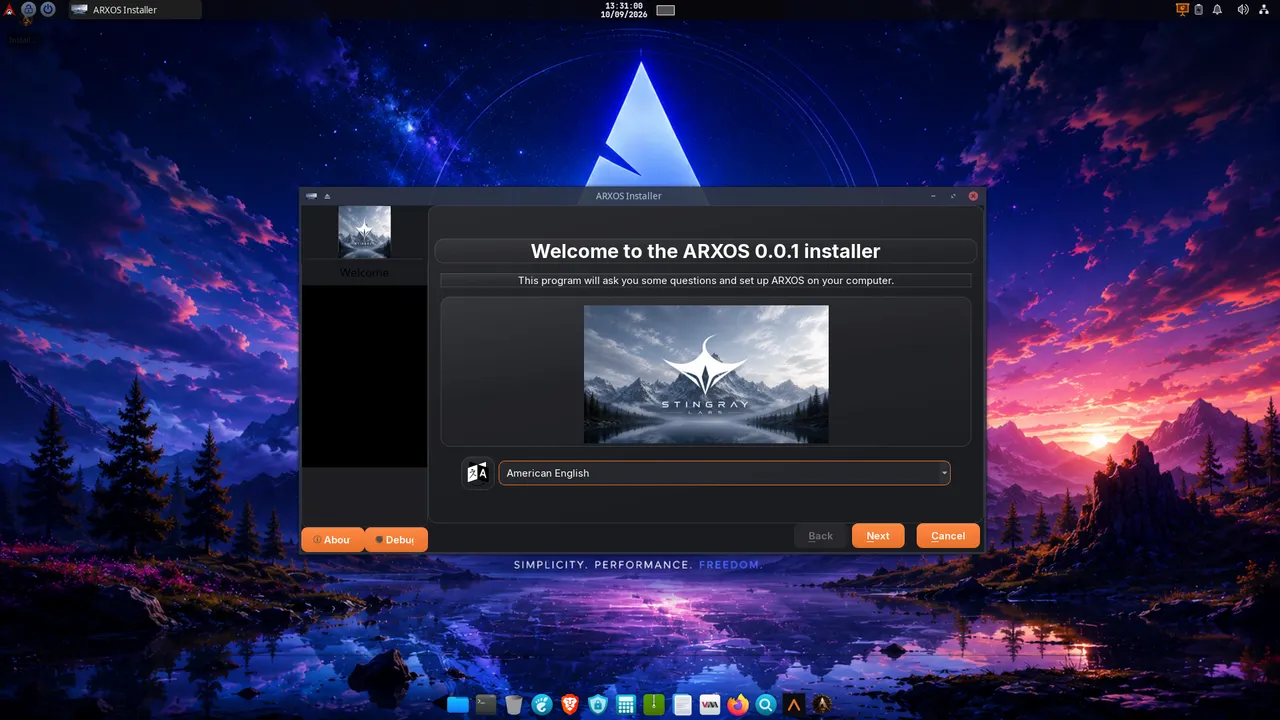
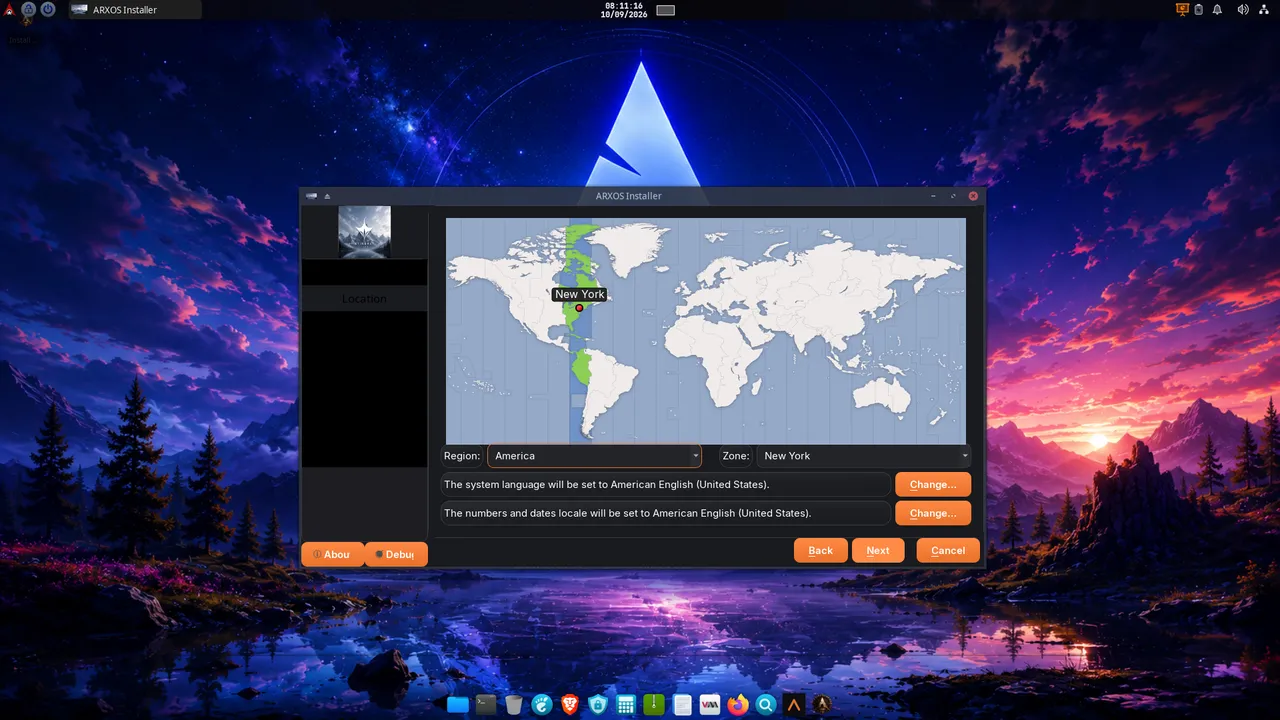
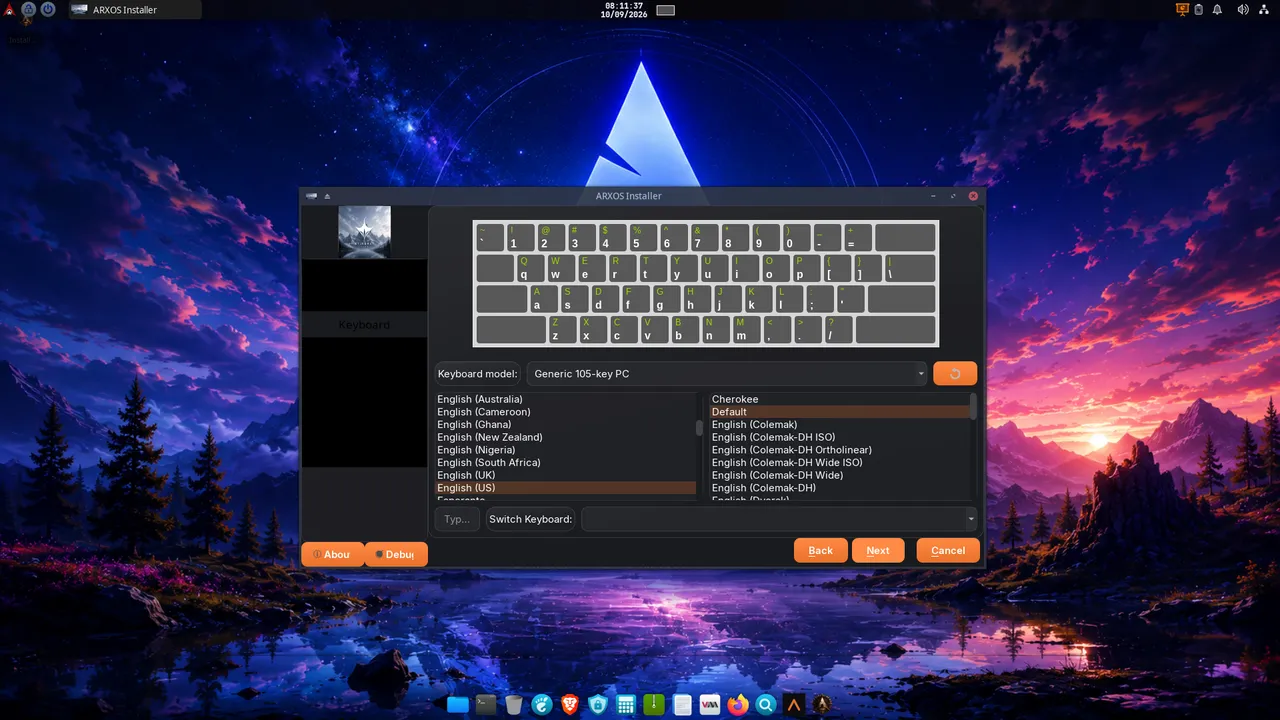
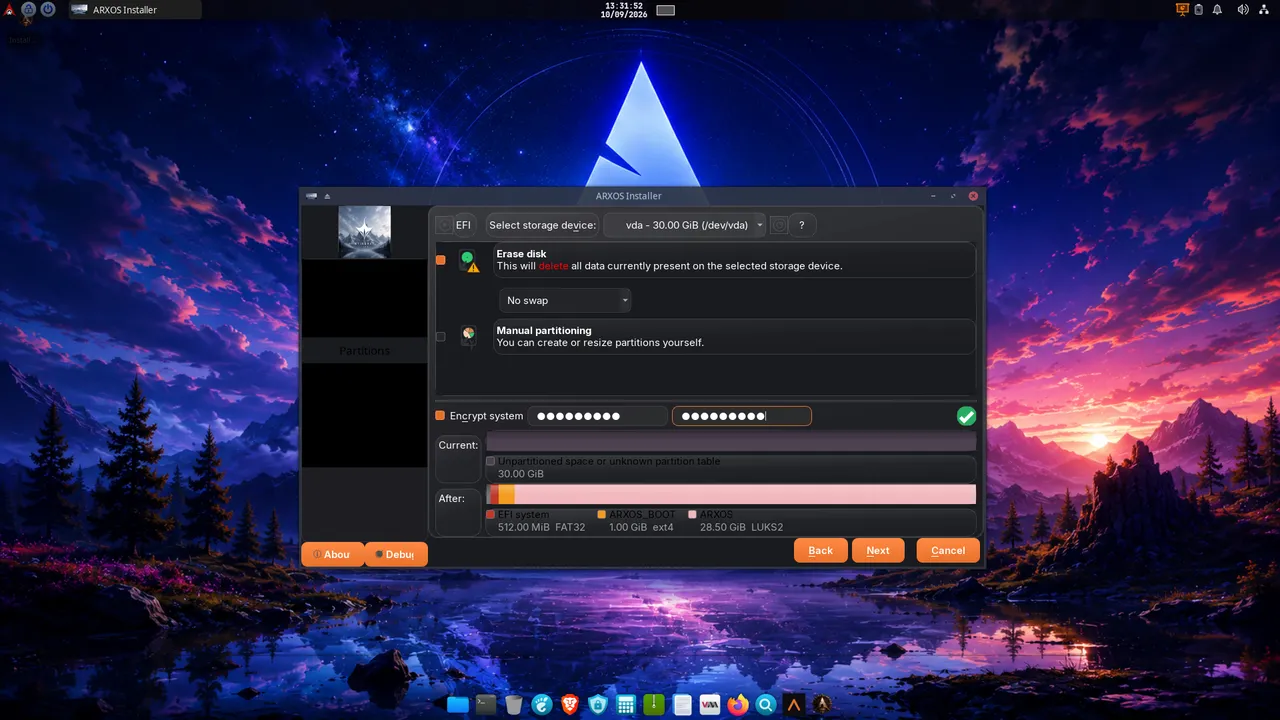
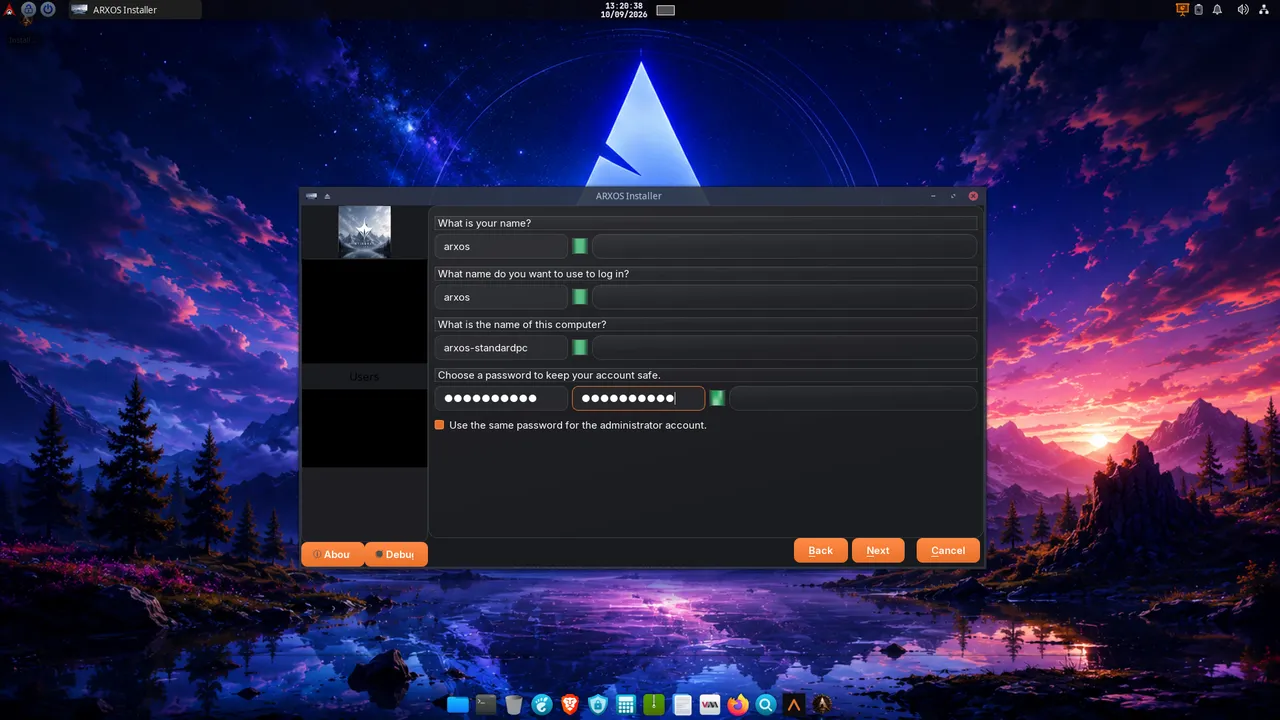
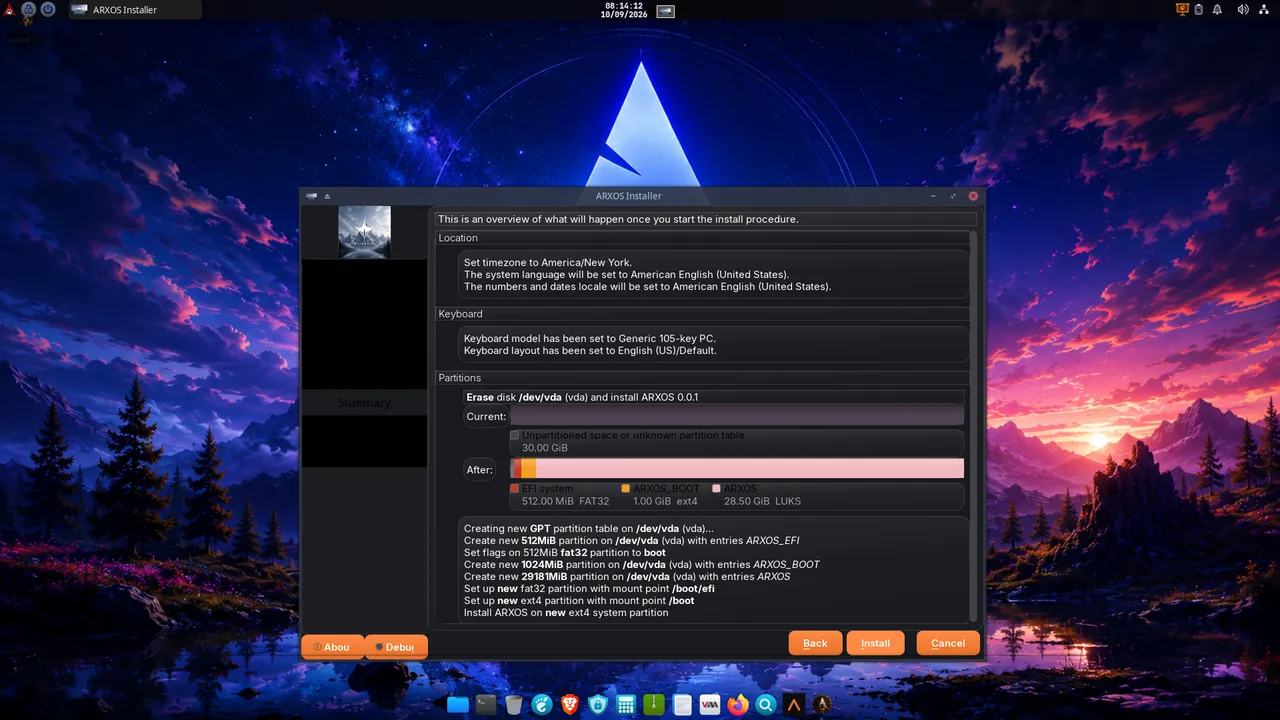
The installer walks you through a few short screens: language, region and keyboard, then the disk. Choose Erase disk for a clean install, and tick Encrypt the system to protect the whole disk with a passphrase. Create your user, review the summary, and start. The computer copies the system across; this is the part that takes a little while.
Encryption is worth it. With full-disk encryption on, a lost or stolen laptop is just an unreadable brick without your passphrase. Choose a passphrase you will remember, because it cannot be recovered.
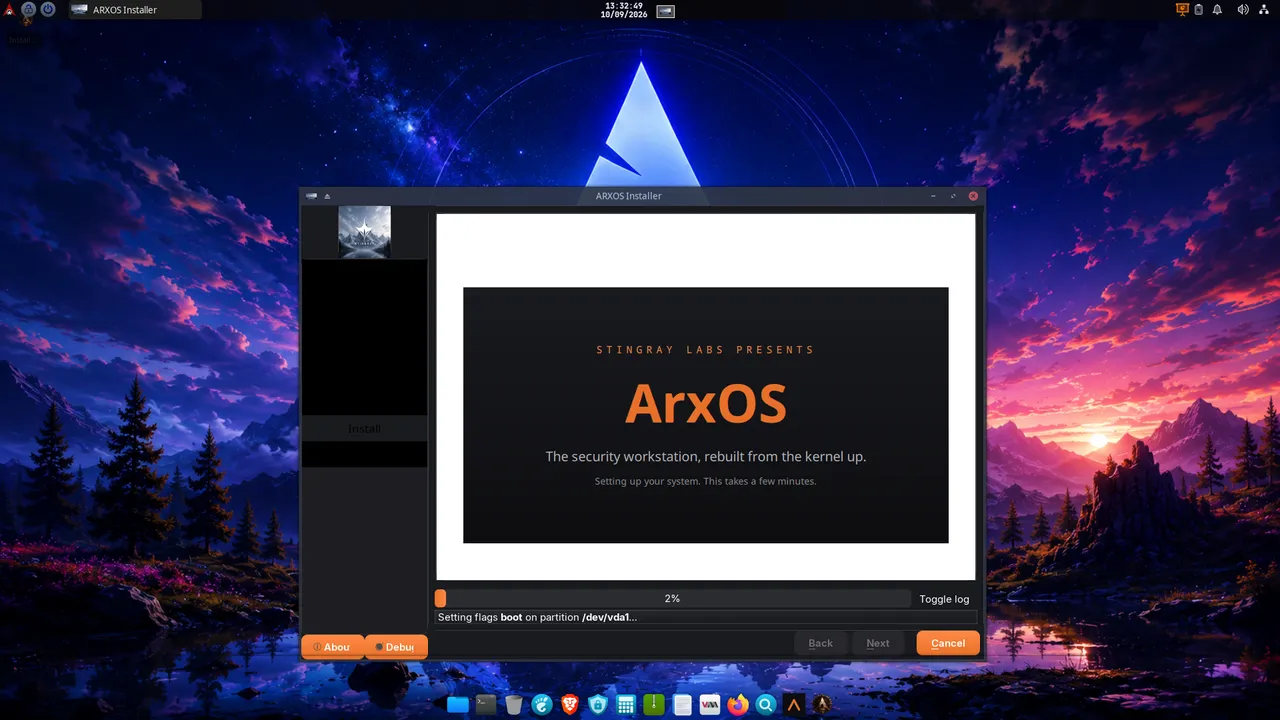
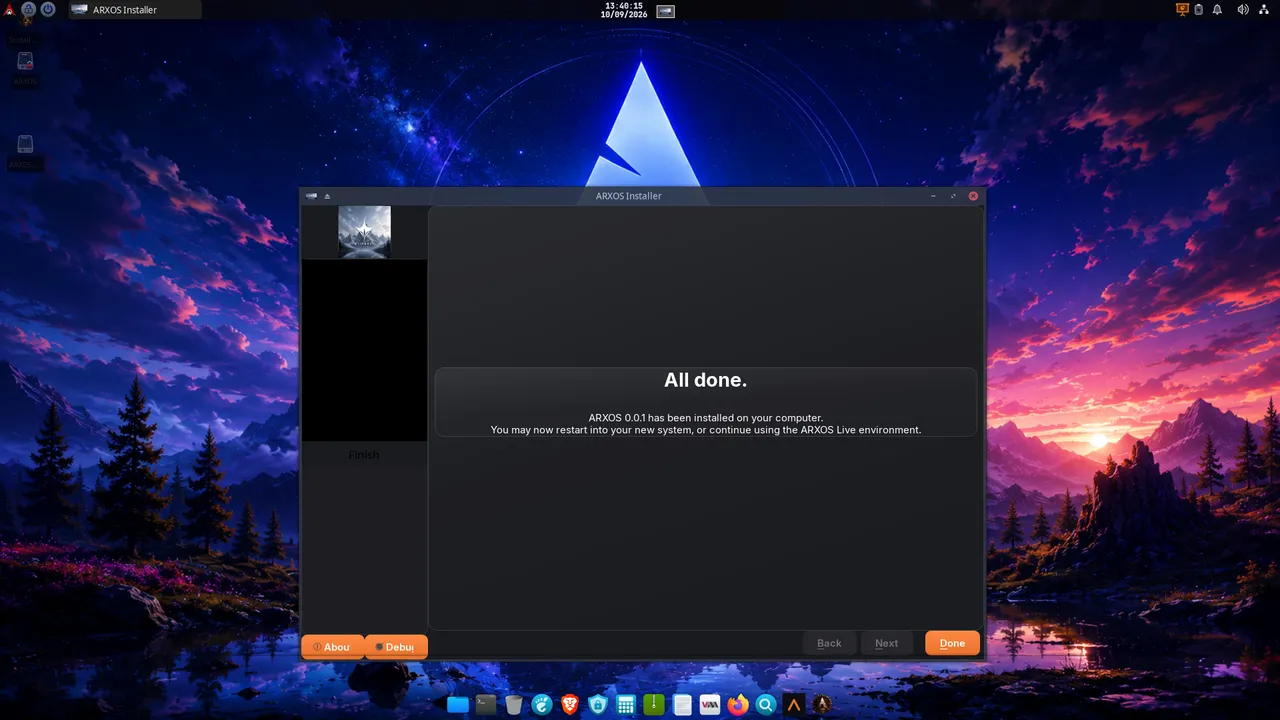
1. Welcome: choose your language.2. Location: timezone and locale.3. Keyboard layout.4. Disk: Erase disk, tick "Encrypt system", set your passphrase (shows LUKS2).5. Your user: name, login, and password.6. Summary: review, then Install.7. Installing: the system copies across.8. All done: restart into your new system.
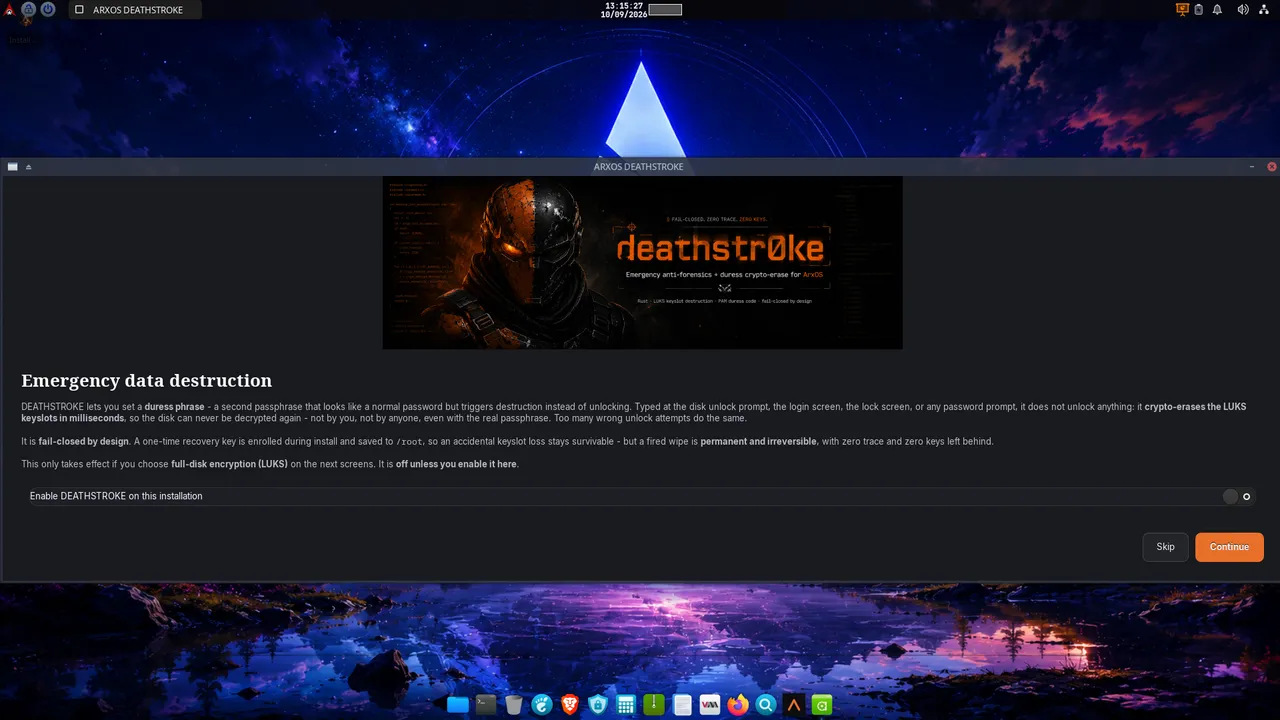
Optional: DEATHSTROKE duress protection.Extremely experimental, active build phase, proceed with utmost caution Before the disk screens, the installer offers DEATHSTROKE. Turn it on and set a duress phrase, and that phrase does the opposite of unlocking: typed at any password prompt, it destroys the encrypted data so a forced unlock hands over nothing. It is off by default and only works with encryption on. A one-time recovery key means an honest mistake never locks you out. Treat this feature as experimental. It destroys data by design and that is irreversible, so try it in a virtual machine first, keep the recovery key somewhere off the machine, and do not arm it on a system holding your only copy of anything.
How DEATHSTROKE works The DEATHSTROKE opt-in: enable it and set a duress phrase (at least 6 characters).
6
First login
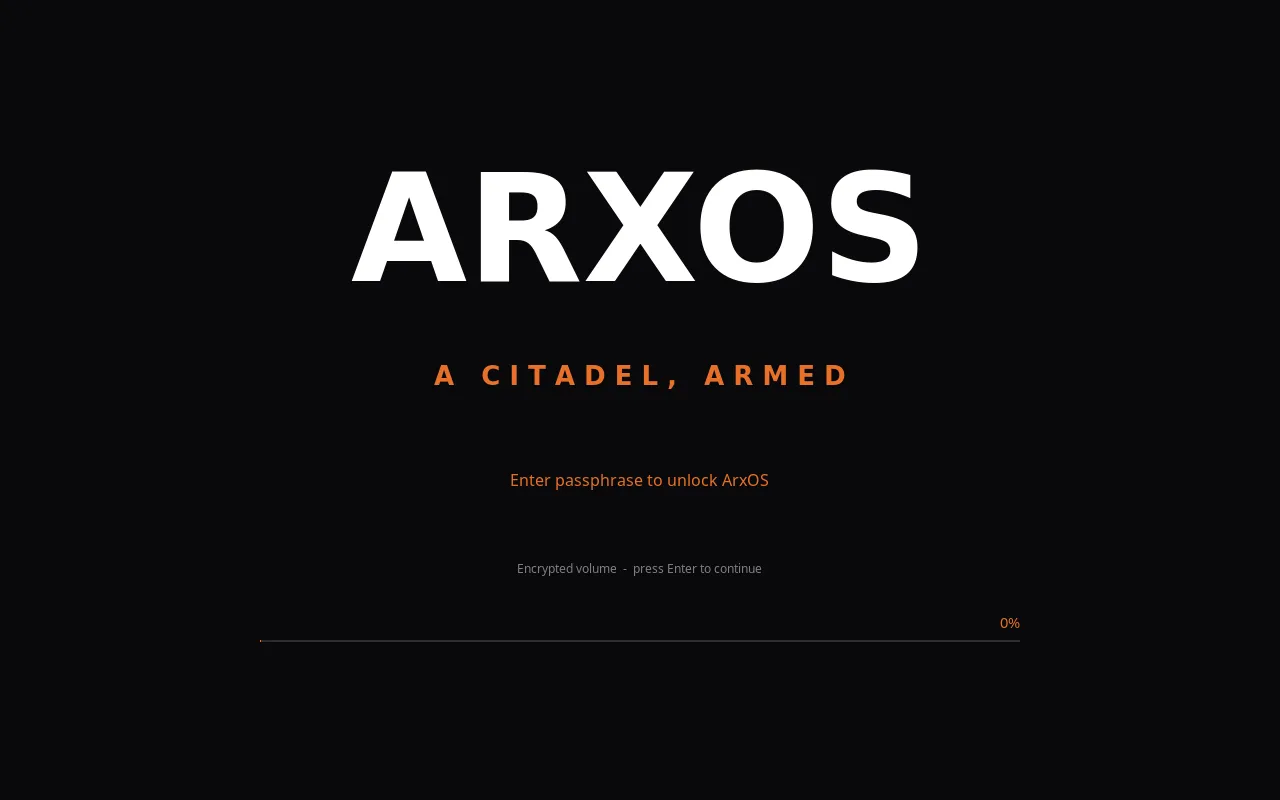
When it finishes, remove the USB stick and restart. If you turned on encryption, you will be asked for your disk passphrase as the machine starts. Then the login screen appears: sign in with the user you created, and you are on your own ArxOS desktop, ready to work.
The boot unlock prompt: type the disk passphrase you set during install. (With DEATHSTROKE on, your duress phrase here wipes instead.)
7
Run your first update
Do this before anything else. The ISO is a snapshot from build day; running an update brings the system, the kernel, and every ArxOS tool fully current the moment you log in. Open a terminal and run arx update, or open the Control Center and use the Update panel, then Update everything.
Not optional. Security patches, kernel fixes, and tool updates land continuously. Skipping this step means starting on day-one software with day-one bugs already fixed upstream.
Get ArxOS.
ArxOS is built in the open by Stingray Security Labs, and each release is made complete before it ships. Follow the build, read the docs, and grab the ISO when your download is ready.
Starting from zero? The free ArxOS beginner program runs from computer fundamentals through Linux, networking, C, assembly, and exploitation, with a daily schedule, labs, and a progress tracker. No subscription, every resource legitimately free.