ARXOS documentation.
ARXOS is a security operating system. It uses a clean Arch Linux base. This page explains what ARXOS is, how the team builds it, and how to use it.
01 What ARXOS is
ARXOS is for security work. It supports red team work, blue team work, reverse engineering, and bug hunting. It also works as a daily computer.
ARXOS uses a clean Arch Linux base. It adds a desktop, a package manager, a set of security tools, and a tuned kernel. ARXOS has its own identity. It does not show the names of the projects it uses.
Fast
Native speed and low idle use are requirements. Heavy code is compiled, not scripted.
Small by default
The base install is small. It has a set of top tools. You add the full tool set when you need it.
Private
ARXOS checks each command before it runs. The kernel adds anonymity. The default settings are safe.
One system
Each part of ARXOS helps the other parts. They are built together.
02 Design rules
Each decision follows a fixed order of priorities. When two options conflict, ARXOS chooses the higher priority, even when it is harder.
- Performance. Native speed and no delay you can feel.
- Low resource use. Little RAM, CPU, disk, and power, above all when the computer is idle.
- Features. Many features, but never at the cost of the two rules above.
- Your security. Safe defaults that are hard to misuse.
- Comfort and looks. Last, and still good.
ARXOS ships no AI
ARXOS has no AI assistant and no cloud AI in the product. Nothing on your system talks to a model, and no data leaves your machine for one. The system stays fully yours.
ARXOS is not a large tool dump
The default install has the tools you use often. You install the rest when you need them. A new system stays small, fast, and easy to check.
03 How it is built
ARXOS follows one clear order: speed first, then a light footprint, then features, then safe defaults. When two designs conflict, the team picks the stronger one, even when it is harder to build. Every part runs on real hardware and in a virtual machine before it ships.
What that has produced so far:
- A clean, standard Arch base with no hidden layer.
- A light XFCE desktop: one top panel, a dock, a terminal, and a matching login screen.
- A secure, themed startup: a themed boot menu, a boot screen that shows real progress, and full-disk encryption that asks for your passphrase before the system starts.
- Two tuned kernels, linux-arxos (default) and linux-arxos-rt (real-time), sharing the same tools and privacy features. See section 03b.
- The arx package manager: official repositories and the AUR in one tool, with no extra helper.
04 The desktop
ARXOS uses XFCE. XFCE is fast and uses little memory. There is one top panel with the menu, the tray, and the clock. There is a dock for your common programs.
- One panel and one dock. No extra bars.
- The same dark theme on the desktop, the login screen, and the lock screen.
- The system uses little CPU when it is idle.
05 The terminal and shell
ARXOS uses Konsole as the default terminal. The shell is zsh. Each new terminal opens with a system report and a rotating anime logo. The shell suggests commands as you type, completes with the Tab key, and colours the command line.
- Konsole with a dark theme, a Nerd Font, and a large scroll history.
- zsh with live suggestions, Tab completion, and command colour.
- fastfetch shows the system report and the logo when a terminal opens. It stays fast.
- Every user gets the same terminal, including users you make after install.
Command shortcuts
ARXOS adds short commands, called aliases, for common work. Type aliases to list every one on your system. The tables below group the main shortcuts.
Files and folders
| ll, la, lt, lz | List files: long, all, newest first, largest first. |
| lsd, lsf | List only folders, or only files. |
| .. ... .... | Go up one, two, or three folders. |
| mkcd <dir> | Make a folder and enter it. |
| extract <file> | Unpack any archive: zip, tar, gz, 7z, rar, and more. |
| backup <file> | Make a dated copy of a file. |
| bigfiles, duh, countfiles | Find large files, show folder sizes, count files. |
| fhere <name>, ftext <text> | Find a file by name, or find text in files. |
System
| sysinfo, temps | Show full system information, and sensor temperatures. |
| meminfo, procs | Show memory use, and the busiest programs. |
| df, free, diskinfo | Show disk space, memory, and a storage overview. |
| boot-time, boot-blame | Show start time, and what slows the start. |
| service-start|stop|restart | Control a system service by name. |
| service-failed, logs, logs-follow | Show failed services and system logs. |
Network
| localip, myip, gateway | Show your local address, public address, and gateway. |
| ports, portsopen | List network ports, and open listening ports. |
| wifi, wifi-connect | List Wi-Fi networks, and connect to one. |
| ping1, ping8 | Test the connection to 1.1.1.1 or 8.8.8.8. |
| show-MAC | Show the interface, addresses, and gateway MAC. |
| portcheck <host> <port> | Check if a port is open on a host. |
| speedtest, headers <url> | Test speed, or read the headers of a page. |
Security
| nmap-quick <target> | Scan open ports with service detection. |
| nmap-ping <range> | Find live hosts on a network. |
| arxos-selfscan | Scan your own machine for open ports. |
| genpass, sha <file> | Make a strong password, or hash a file. |
Packages and system control
| update | Refresh and update the whole system. |
| install <name>, remove <name> | Install or remove a package. |
| search <text>, orphans | Search packages, or remove unused ones. |
| arxos-health | Show a full health report of the system. |
| arxos-boostmode, arxos-powersave | Set the CPU for speed or for low power. |
| arxos-cpu-status | Show the current CPU mode. |
| mirrors | Pick the fastest download mirrors. |
Git and containers
| gs, ga, gc, gp, gl, gd, gpl | Git: status, add, commit, push, log, diff, pull. |
| dps, di, dcu, dcd | Docker: list, images, compose up, compose down. |
| dclean | Remove unused Docker data. |
Handy
| reload, aliases | Reload the shell, or list every shortcut. |
| weather, calc, now | Show the weather, a calculator, the date and time. |
| http-server, serve | Share the current folder over HTTP. |
| cheat <topic> | Show a quick help sheet for a command. |
06 The arx package manager
arx is one command to manage the system and the tools. It uses the package tools for you. It shows clean output and real progress.
# update the system and the ARXOS tools
$ arx update

# install a package: repo, AUR, or a local .deb, .rpm, or .AppImage
$ arx install <name>

# browse the tool set and install it by category
$ arx weapons
$ arx weapons install <category>
- Starts unprivileged. arx runs as you and asks for administrator rights only when an action actually changes the system, never for a search or a query.
- Every pacman flag still works. arx understands the flags you already know (
-S,-R,-Q,-U,-Sy,-Syu,-Ss,-Si,-Qo,-Qs,-F) next to its readable names, so nothing you already type has to change. - One update for everything. A single command covers the system, the kernel, the AUR, and the ARXOS tools.
- Many formats, checked. It installs Arch packages and local
.deb,.rpm,.AppImage, and archive files, maps their dependencies to Arch, and scans each maintainer script before it runs. - Self-healing. arx repairs keyring, mirror, lock, and database errors on its own, so it rarely stops with a failure.
Every command
This is the complete command reference. arx accepts a readable name for every action, and also the short and long pacman forms you already know, so nothing you type has to change. Full detail on any one is arx help <command>.
Install, remove, and update
| arx install <name> | Install a package from the current databases. The easy spelling: it does not force a database refresh first. |
| arx sync <name> | Install with pacman's exact -S behaviour (sync semantics against the databases). Also: -S, -Sync, --sync. |
| arx install ./file | Install a local file: an Arch package, or a .deb, .rpm, .AppImage, or archive. Its dependencies are mapped to Arch and its scripts are scanned first. |
| arx upgrade ./file | Install or upgrade from a local or supplied package file, pacman-compatible. Also: -U, --upgrade. |
| arx remove <name> | Remove an installed package. Add --recursive to also remove now-unused dependencies and --nosave to remove its config files. Also: -R, -Rns, --remove. |
| arx force-remove <name> | Remove a package even if others depend on it. Also: -Rdd. |
| arx update | Refresh the databases and upgrade the system, the kernel, and the ARXOS tools. Also: upgrade, -Syu. |
| arx refresh | Refresh the package databases only. Also: -Sy. |
| arx downgrade <name> | Roll a package back to an earlier cached version. |
| arx hold <name> | Keep a package back on upgrade (adds it to IgnorePkg). Release it with arx unhold <name>. |
| arx pip <args> | Run pip with --break-system-packages added for install/uninstall/download, so packaging works on Arch with no extra flags. |
The AUR (no yay or paru needed)
| arx aur search <text> | Search the AUR only. Results are always labelled as AUR source builds, kept separate from the official repositories. |
| arx aur install <name> | Build and install an AUR package. Missing signing keys are imported for you instead of failing. |
| arx aur upgrade | Rebuild every installed AUR package that has a newer version. Also: -Sua. |
Find and inspect
| arx search <text> | Search the repositories and the AUR, with each result labelled by source. An exact official match skips needless AUR work. Also: -Ss, s. |
| arx info <name> | Show a package's identity, version, description, and source. Also: -Si, show. |
| arx query <name> | Look up the local package database (read-only, never touches the AUR). Also: -Q, -Query, --query. |
| arx -Qi <name> | Show an installed package's full details. Search installed packages with -Qs <text>. |
| arx -Qe | List packages you installed yourself. -Qm lists foreign packages (from the AUR or a local build). |
| arx list | List everything installed. Also: ls, installed. |
| arx files <name> | List the files a package owns. Also: -F, -Files, --files. |
| arx owns <path> | Find which package owns a file. Also: -Qo, whoowns. |
| arx provides <name> | Find what provides a name. Also: prov. |
| arx outdated | List packages with a newer version available. Also: updates. |
| arx deptest <name> | Report dependencies that are not satisfied. Also: -T, -Deptest, --deptest. |
Maintain the system
| arx orphans | List packages that nothing needs any more. |
| arx autoremove | Remove those orphans. Also: sweep. |
| arx clean | Clean the package cache. Add --all to remove everything. Also: -Sc, -Scc. |
| arx doctor | Check the package database for problems. Also: -D, -Database, --database. |
| arx keys | Repair the keyring. |
| arx mirrors | Inspect and manage the repository mirrors. Reading is free; changing the protected config asks for elevation. |
Kernels
| arx kernels list | List the ArxOS kernels you can install, with their status. |
| arx kernel install <flavor> | Install a kernel and its headers, checksum-verified. Flavors: linux-arxos (default) and linux-arxos-rt (real-time). |
| arx kernel remove <flavor> | Remove a kernel and its headers. The kernel you are running and the last one left are protected. |
The tool set
| arx weapons | Browse the tool set by category. arx weapons <category> lists one; arx weapons list-all lists every tool. |
| arx weapons install default | Install the recommended loadout: the essential tools most jobs start with. |
| arx weapons install top <N> | Install the top N essential tools, e.g. arx weapons install top 10. |
| arx weapons install <category> | Install a category (or cat <name>), e.g. bug-bounty, research. Use all for the whole arsenal. The first install sets things up for you. |
| arx weapons remove <category> | Remove a category, the default set, or all. |
| arx self-update | Update the ArxOS tools from the ArxOS registry. Also: tools. |
07 The Control Center
The Control Center is a native app that runs the whole system from one window. Open it from the dock or the menu (or run arxctl). Every panel is live: it reads and writes the real system directly, so there is no config file to apply afterwards. The left rail lists the panels; the footer shows the running kernel.
Dashboard
The command deck: system name, running kernel and uptime, updates available, load, anonymity state, live memory, and per-mount storage, all at a glance.
Update
One button brings the system, the kernel, the AUR, and the ArxOS tools current. It hands off to a terminal running arx update with a clean per-package view. A badge shows how many updates are waiting.
Weapons
Browse the arsenal and install a ready loadout (default, top 10, or the full set) or a single category live. Shows the live tool count. Backed by arx weapons.
Kernels
See every published ArxOS kernel with its version and status, and install or remove one (kernel plus headers, checksum-verified). Backed by arx kernel.
Performance
Direct CPU control from sysfs: the governor, energy preference, turbo, and per-core load, in real time. It degrades gracefully in a virtual machine.
Network
Live per-interface throughput and a hardening view of listening ports: disable a service or block a port through an isolated firewall table, without touching the rest of your rules.
Wallpaper
Browse and set the desktop wallpaper, run a slideshow, and download more from curated sources.
Privacy
Turn whole-system anonymity on or off. It drives anond: the kill switch is armed before Tor and removed last, DNS is pinned to Tor, and it proves every layer is up before it reports active. See the commands below.
Browsers
One button, Patch browsers, re-applies the ARXOS hardening to Firefox, Waterfox, and Brave: telemetry off, tracking blocked, no WebRTC address leak, and DNS left to the anonymity daemon. Run it any time, for instance after installing a browser later or if a reset clears the settings. A reversible toggle also trusts your own proxy's CA (Burp, ZAP, mitmproxy) for interception, changing none of the hardening.
VM Tools
One-click setup for a full virtualization stack (QEMU/KVM, VirtualBox, VMware): packages, groups, services, and kernel modules, with nothing left to wire by hand.
Services
See and manage the system services that matter, including the anonymity service.
Info
System and ArxOS details in one place: versions, hardware, and where to find help.
Privacy and anonymity from the terminal
The Privacy panel drives the anond daemon, and you can run it directly. It is fail-closed: the network is blocked before Tor comes up and only reopens once every check passes, so a half-started state never leaks.
| anond up | Route the whole system through Tor. Add --mac to also randomize your MAC address. The kill switch is armed first, DNS is pinned to Tor, and IPv6 is dropped. |
| anond status | Show whether anonymity is active and which layers are up. |
| anond verify | Confirm routing, DNS, and the kill switch are all actually working end to end. |
| anond new-identity | Request a fresh Tor circuit (a new exit path) without dropping protection. |
| anond down | Turn anonymity off and restore your normal network, removing the kill switch last. |
anond up. Routing everything through Tor is slower than a direct connection, which is the expected trade for hiding your traffic and location.08 The tool set
ARXOS 0.0.1 ships as a single Slim image. It carries the full ArxOS signature toolkit (the package manager, Control Center, anond privacy, droidB, arxguard, and the rest) with none of the security arsenal pre-installed. You add the tools you want on demand, so the image stays lean and fast on first boot.
The arsenal is thousands of tools in four groups: Offensive, Bug Bounty, Defensive, and Research. On Slim you pull in exactly what a job needs, when it needs it, with the weaponry command:
# slim ships no arsenal. add what you need, on demand:
$ arx weapons                       # browse the categories
$ arx weapons install default       # the 40-tool starter loadout
$ arx weapons install bug-bounty    # a whole category
$ arx weapons install top 10        # the ten essentials
$ arx weapons install all           # the entire arsenal
The default loadout: a one-command starter set
The default loadout is 40 tools: the staples a security workstation is expected to have, curated in order of importance. Install them in one command, arx weapons install default. It is the recommended starting point, and everything beyond it is added on demand.
The core ten (ready for combat)
The first ten are the ones most jobs start with. They are also what arx weapons install top 10 installs, and you can ask for any count with top <N>.
| 01 nmap | Network and port scanning, service and version detection. |
| 02 metasploit | The exploitation framework: modules, payloads, and post-exploitation. |
| 03 burpsuite | The web application proxy and testing suite. |
| 04 wireshark | Live packet capture and deep protocol analysis (ships as wireshark-qt). |
| 05 sqlmap | Automated SQL injection discovery and exploitation. |
| 06 hydra | Fast online login brute-forcing across many protocols. |
| 07 john | Offline password hash cracking (John the Ripper, jumbo build). |
| 08 hashcat | GPU-accelerated hash cracking. |
| 09 aircrack-ng | Wireless auditing: capture, injection, and WPA/WEP cracking. |
| 10 nikto | Web server vulnerability and misconfiguration scanning. |
The other thirty, by area
| Recon | subfinder, amass, masscan, theHarvester, recon-ng, dnsenum, whatweb, wafw00f |
| Web | gobuster, ffuf, feroxbuster, wpscan, nuclei, wfuzz, dirsearch, dalfox, gospider |
| AD & network | netexec, impacket, responder, bloodhound, enum4linux-ng, crackmapexec |
| Passwords | hashid |
| RE & forensics | radare2, binwalk, foremost, volatility3 |
| Traffic & lists | tcpdump, seclists |
arx weapons install default, or pull a single category or the complete arsenal with arx weapons install <category> or all.The full arsenal by group
Everything else is one command away, arranged in four groups across 50 categories.
| Offensive | 824 tools: recon, web, exploitation, wireless, passwords, C2, and more. |
| Bug Bounty | 1,339 tools: the largest group, tuned for web and application testing. |
| Defensive | 290 tools: forensics, incident response, blue-team tooling. |
| Research | 413 tools: reverse engineering, crypto, hardware, and analysis. |
| Total | 2,866 tools across 50 categories. |
09 The linux-arxos kernel
The kernel is the base of the whole system. A good kernel makes every tool faster and more private. linux-arxos uses the latest base and adds an ARXOS configuration and patches.
- It stays responsive under load. The desktop is smooth while scans or builds run.
- It is built for speed. It uses link-time optimization and a modern CPU baseline.
- It includes all drivers by default, like Kali. This covers wireless, MediaTek, Realtek, and more. USB Wi-Fi adapters support monitor mode and packet injection out of the box.
- Privacy is part of the kernel. It supports full-disk encryption, radio and camera control, address spoofing, and memory wiping.
- Updates are safe. Live patches apply fixes without a restart. ARXOS keeps a known-good kernel so you can roll back, and new kernels arrive over the air through arx.
- Two kernels, your choice. linux-arxos is the default daily driver. linux-arxos-rt is a real-time build for RF, SDR, and wireless capture, where timing must be exact. Both carry the same tools and privacy features; you pick the real-time one from the boot menu when you need it.
What it brings to each kind of user
The daily user
A desktop that stays smooth under load, wide hardware support so Wi-Fi, sound, and graphics work on arrival, live security fixes without a reboot, and a known-good kernel to roll back to. Full-disk encryption is a single checkbox at install.
The security engineer
Deep packet filtering and raw network queues for your tooling, broad wireless driver coverage for auditing (monitor mode and injection depend on the adapter), raw USB and device access for hardware work, and the real-time kernel for RF, SDR, and signal capture where timing has to be exact.
The security programmer
eBPF and BPF-LSM, kprobes and tracing built in for instrumentation and reverse engineering, KVM for spinning up lab machines, and the full toolchain plus kernel headers on the image so you can build and load your own modules.
The gamer
Gaming is not the focus of 0.0.1, so no game launchers or vendor drivers are bundled. The responsive scheduler, high timer rate, and current graphics support still make the desktop feel quick, and a gaming-focused edition is planned for a later version.
10 Patches and tunes
ArxOS changes the base for speed, low latency, and privacy. The changes are in the kernel and in the system defaults.
Kernel
- Responsive scheduler. The desktop stays smooth while scans and builds run.
- Built for modern CPUs. Link-time optimization and a modern instruction baseline.
- All drivers by default, like Kali. Wireless, MediaTek, Realtek, and more. USB Wi-Fi adapters support monitor mode and packet injection.
- Privacy in the kernel. Full-disk encryption, address spoofing, radio and camera control, and memory wipe.
System
- One glass panel and a centred dock, the same on every user account.
- Konsole with zsh as the default terminal, with suggestions, completion, and a fast system report on each start.
- Hardened browsers. Firefox, Waterfox, and Brave ship with telemetry off, tracking blocked, HTTPS only, and no address leak. The hardening survives browser updates. If you ever install a browser later, or a reset clears it, open the Control Center and press Patch browsers to re-apply the ARXOS hardening to Firefox, Waterfox, and Brave at any time.
- Low idle use. The system uses event triggers, not polling, so it stays quiet when you do not work.
11 DEATHSTROKE
SKIP THIS ON 0.0.1. Leave it switched off. DEATHSTROKE is in a super experimental stage and is still in active build. Do not enable it during installation on this release. Its purpose is to destroy the encryption keys, the erase cannot be undone, and its pre-boot path has not been verified from an installed system yet. It also takes over the boot prompt, which is where a forgotten or rejected password is recovered, so an armed machine cannot be rescued that way. Read this section to understand what it will do, then leave the option off until a release says otherwise.
Experimental. Proceed with caution. DEATHSTROKE destroys data on purpose and the erase cannot be undone. Exercise it in a virtual machine before you arm it on a real system, keep the one-time recovery key somewhere off that machine, and never arm it on a system holding your only copy of anything. It is off unless you explicitly enable it during installation.
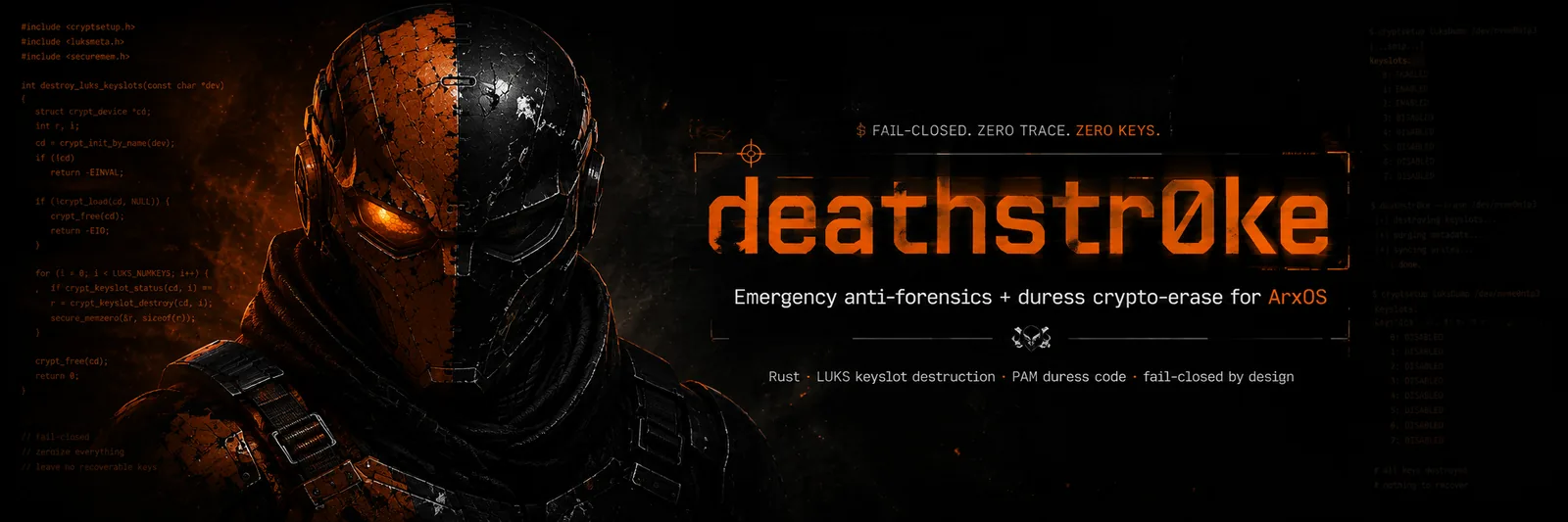
DEATHSTROKE is emergency data destruction for an encrypted ArxOS machine. You arm it while you install, and from then on it protects the disk if you are ever forced to hand the computer over. It is off unless you turn it on, and it only takes effect on a disk you chose to encrypt.
What it is
When you enable it during install, you choose a duress phrase next to your normal disk passphrase. The duress phrase looks like an ordinary password, but it does the opposite of unlocking: typed at any password prompt, it destroys the disk's encryption keys in an instant. There is no undo, and nothing on the outside shows that a machine is armed. Someone who forces you to open the laptop cannot tell the real passphrase from the one that wipes it.
How it works
A phrase that destroys
Type the duress phrase at the boot unlock prompt, the login screen, the lock screen, or any password prompt. Instead of unlocking, it wipes the encryption keys. Too many wrong attempts in a row do the same thing. If you would rather trigger it deliberately from a terminal, sudo dsctl panic does the same wipe after you confirm with your duress phrase.
Gone for good
Once the keys are erased, the data can never be decrypted again, by anyone, even with the correct passphrase. What is left on the disk is unreadable noise. It runs before the system finishes starting, so pulling the disk out cannot dodge it.
Fail-closed, not fragile
A one-time recovery key is saved during install, so an honest mistake never locks you out of your own machine. But once the duress wipe actually fires, it is final: no keys, no trace, nothing to recover.
Changing it after install
Everything is managed from one command, dsctl, in a terminal. You can change the duress phrase, check what is set, or turn the whole thing off at any time.
# change the duress phrase (it asks twice; the phrase itself is never stored)
$ sudo dsctl set-duress

# see what is set: is a phrase enrolled, is it armed, is a recovery key saved
$ sudo dsctl status

# confirm a phrase is the one you think it is, without triggering anything
$ sudo dsctl verify

# trigger the wipe on purpose (asks for your duress phrase to confirm; recovery key still works)
$ sudo dsctl panic

# turn DEATHSTROKE off: removes the duress trigger, keeps your data and encryption
$ sudo dsctl disarm
set-duress replaces the old phrase the instant it finishes, so changing it is immediate. verify only reports a match or no match, it never wipes anything, so it is safe to use to jog your memory. panic is the plain-terminal way to set off the wipe when you cannot get to a password prompt: it only runs when DEATHSTROKE is armed and only after you re-enter your duress phrase, so it cannot fire by accident. disarm removes only the duress trigger: your disk stays encrypted and your normal passphrase keeps working exactly as before.
/root. Move it somewhere offline and delete it from the machine. You set the duress phrase on the installer's first screen, and it only takes effect when you also turn on full-disk encryption. If you skip DEATHSTROKE, ArxOS installs and behaves like any other encrypted system.12 What is new
ArxOS is in active development. Recent changes:
- One login and lock screen. The ArxOS greeter is the login screen, the lock screen, and the default for every user. It shows a welcome, a session picker, and a clear error on a wrong password.
- Same look for all users. The glass panel, the dock, the wallpaper, and the terminal apply to every account, new or old.
- Hardened Firefox, Waterfox, and Brave. Private, debloated defaults, a local welcome page, and a link to this documentation.
- Terminal report. Each terminal opens with a fast system report and a rotating image.
13 Arch Wiki help
ArxOS uses a clean Arch base, so the Arch Wiki answers most questions. Paste an error message or type a keyword to search the wiki.
Paste the whole error. It recognizes common Arch failures, shows the likely fix and the exact command, and links the canonical wiki page. It searches as you type.
Explain a shell command
Type or paste any command to see what each part does, flag by flag, from the man pages. A fast way to read a command you do not recognise yet while you study.
Powered by explainshell. It splits the command into its options and shows the matching man-page text. open in a tab
14 Updates
ARXOS does not use a fast, unstable update stream. Updates are tested, stable snapshots. arx delivers the system and the tools from one place. A change reaches you only when it passes the tests.
$ arx update # update the system and the ARXOS tools
15 Recovering a login
ARXOS 0.0.1 is a beta release. On this build the login screen can reject the password you chose during installation. You do not need to reinstall. You can set a new password from the boot menu, and the steps are below.
This affects 0.0.1 only. The cause is understood and already fixed in the installer, the fix simply came after this image was built. 0.0.2 will ship with all of these fixes included, so a fresh install of 0.0.2 will not need any of this. If you are already running 0.0.1, you do not have to wait for it: recover the login with the steps below and then run arx update, which brings your tools and Control Center up to date without reinstalling.
What you need first: your disk passphrase, the one you typed when you set up encryption. That still works. It is the account password that is affected, not the encryption.
- Start the computer and stop at the ARXOS boot menu. If it goes straight past, hold Shift while it starts, or tap Esc.
- With the first entry highlighted, press e. Do not press Enter. This opens the entry for editing.
- Use the arrow keys to reach the line that starts with
linux. It is the long one and it already containsroot=andcryptdevice=UUID=. Leave everything on it exactly as it is. - Press End to jump to the end of that line, then type a space followed by:
Type nothing else. Do not remove
init=/bin/bash
cryptdevice=, or the disk cannot be unlocked. - Press Ctrl+X to start it. On some machines the key is F10. This change is temporary and applies to this one boot only; nothing on disk is modified.
- Type your disk passphrase at the unlock prompt, the same one you always use. The screen may show plain text rather than the usual graphical prompt.
- You arrive at a plain shell as root, with a prompt like
bash-5.2#and no password asked. The keyboard is US layout at this point, so if your password contains symbols, keep that in mind while typing. - Make the disk writable. Until you do, the next steps cannot save anything:
# mount -o remount,rw / - Check your exact user name, since the next commands need it spelled correctly:
# ls /home - Set a new password. Replace
yournamewith what you just saw. It asks twice and shows nothing while you type:It must answer# passwd yournamepassword updated successfully. If it complains the password is too short or too simple, choose a longer one; it will still accept it if you confirm. - Clear the failed-attempt lock that the earlier rejections will have set. Without this, a correct password can still be refused for a few minutes:
# faillock --user yourname --reset - Clear any pending forced password change. If this flag is set, the login screen accepts your password and then refuses the session anyway, because it has nowhere to ask you for a new one:
# chage -d "$(date +%F)" yourname - Write it all to disk. Do not skip this, or the change can be lost:
# sync - Restart. Either hand over to the normal startup:
or, if that stalls or looks wrong, simply hold the power button for a few seconds and start the computer again. The new password is already saved, and the boot menu edit was temporary, so it starts normally.
# exec /sbin/init - Log in with the new password.
$ arx updateIf you are not asked for a disk passphrase at step 5, you installed without encryption. Everything else is the same.
If the boot menu will not let you press e, start from the ARXOS USB drive instead, open a terminal on the live desktop, unlock and mount your installed system, and run the same passwd there. Ask on GitHub if you need a hand with that path.
16 What is coming in 0.0.2
0.0.2 is what the team is building now. It carries every fix described above, so a fresh install will not meet the login problem at all. Items marked in progress are being worked on and are not promises.
The installer
- The login defect is fixed at the source. The installer used to read the password field as plain text when the installer framework stores it obscured, so the account ended up holding a different password than the one you typed. Each field is now decoded by its own contract, and the install refuses to finish rather than leave you with an account you cannot enter.
- Failed-attempt locking is tuned so ordinary typos cannot lock you out of your own machine, and that policy ships as part of the system instead of relying on upstream defaults.
- A duress phrase that matches your real password is rejected, rather than quietly arming a machine that would erase itself when you log in normally.
- The filesystem table and bootloader steps fail loudly instead of continuing, so a half-installed system is never handed over as finished.
- Dock launchers are repaired for existing accounts without administrator rights, which also closes a privilege-escalation hole in the old repair.
Control Center
- Rebuilt as a native Rust and GTK4 application instead of a web view. Cold start of the application grid dropped from about 1.8 seconds to roughly 0.2.
- Ricing: themes and accent colours, window buttons and titles, fonts, a floating rounded top bar with adjustable width, height and icon size, dock opacity, rounding, position and icon size, menu opacity, clock style, blur and corners, plus macOS, classic and custom presets. Every change applies to the running desktop at once and is saved as the system-wide default, which new accounts inherit at their next login.
- Show Applications grid, and a lock screen that follows your wallpaper slideshow or holds a single picture.
- Performance reads and writes the real kernel controls across every core, and states plainly when your processor exposes an energy preference rather than a governor choice.
- Network shows live throughput per interface and can close listening ports. Privacy drives the anonymity daemon. Kernels installs and removes kernel builds. Snapshots reaches system restore points.
Bluetooth and audio, new in 0.0.2
- Headphone battery on screen. AirPods and Beats report each bud and the case with no pairing needed, and other headsets report through the standard Bluetooth battery service. A small pill appears when the case opens, when charge runs low, and when the device goes away. Verified against real hardware.
- Find nearby, a proximity finder that reads warmer as you get closer to the device.
- Spatial audio, a head-related transfer function that places sound around you on any headphones. Stated plainly: this is virtual surround. Dolby Atmos cannot be licensed on Linux and is not what this is.
- A 15-band equalizer with presets, chained with spatial audio so both can run at once and both apply to the device you are actually listening on.
- Noise control and ear detection, in progress. The control channel to the earbuds works and its replies are decoded, including the noise-control mode and whether a bud is in your ear. The panel that exposes it is still being built.
Kernel
- 0.0.1 ships
linux-arxos 7.2.5-1. The upstream stable series has moved on since that build, so 0.0.2 is expected to carry a refreshed linux-arxos on a newer 7.2 stable base, in both the default and the real-time flavour, with the same hardening and tuning. The exact version is fixed when it is built and boot-tested, not announced beforehand. - Kernel updates do not need a new image. They arrive through
arx.
You do not have to wait for the image
Tools and the Control Center are delivered separately from the ISO, so running
arx update on 0.0.1 brings those up to date as they land and most of the list above
reaches an existing install without reinstalling. The installer fixes and the kernel are the
parts that want the new image.
17 Get ARXOS
ARXOS is in development. The team makes each release complete before it publishes the release. The download opens when ARXOS is ready.
ARXOS 0.0.1 ships as a single Slim image, with the complete ArxOS toolkit, encrypted install, and optional DEATHSTROKE:
- Slim (the 0.0.1 image): the ArxOS toolkit with none of the arsenal pre-installed. Add security tools on demand with
arx weapons. Lean and recommended. - Write the image to a USB drive, start the computer from it, and install ARXOS with full-disk encryption in a few steps.
- Starting the installer. Once the live desktop loads, open the Install ARXOS option from the menu. You reach the menu from the foot icon at the left of the bottom dock, or by right-clicking anywhere on the desktop to open the XFCE Applications menu. The installer is listed there.
- Follow the work on GitHub while the team builds the release.
18 Project and source
ARXOS is built by a small team. The operating system, its tools, and this site are in the thearxos organization on GitHub. The tools are separate projects that update themselves.
The team
0xb0rn3
Founder and lead engineer. Kernel and security architecture: the linux-arxos kernel, the hardening doctrine, OPSEC, and anonymization.
chinam0k
Systems and desktop engineer. The desktop, the terminal, the login and lock screen, the browser experience, and this site.
lukk4n
Packaging and distribution engineer. The arx package manager, arxctl, the kernel history, and the update pipeline.
- Code and releases. github.com/thearxos
- Site. arxos.uk
- Contact. contact@oxborn3.com
19 FAQ
The questions people ask about almost any Linux distribution, answered for ARXOS.
Is ARXOS free and open source?
Yes. It is free to download and use. The operating system, its tools, and this site live in the thearxos organization on GitHub, and the tools are open projects.
What is ARXOS based on?
It is built on Arch Linux and follows a rolling model, so you install once and keep updating rather than reinstalling for each release. On top of that base ARXOS adds its own kernel, desktop, package manager, security tools, and hardened defaults.
What are the system requirements?
A 64-bit (x86_64) computer that boots in UEFI mode, 4 GB of RAM (8 GB or more is comfortable when you run virtual machines or heavy tools), and about 30 GB of free disk space. A solid-state drive is recommended for the best feel.
Can I keep Windows and dual-boot?
Yes. The installer can use free space alongside an existing system. Back up your data first, and install in UEFI mode to match most modern machines. If you are unsure, try it in a virtual machine before touching your main disk.
Is it beginner-friendly?
The installer is graphical and guided, and the install guide on this site walks every screen. Day to day it is a normal desktop. You will get the most out of the security tools if you are comfortable opening a terminal, and the docs are written to help you get there.
How do I get updates?
One action updates everything: the system packages, the kernel, and the ARXOS tools, together. Run arx update in a terminal or use the Update panel in the Control Center. New kernels arrive over the air and verify themselves before they install.
Does ARXOS collect telemetry or phone home?
No. There is no usage tracking. The browser ships with telemetry off and tracking blocked, DNS defers to the anonymity daemon rather than leaking, and privacy is a default rather than a setting you have to find.
Is it secure out of the box?
The defaults are hardened: optional full-disk encryption at install, a hardened kernel, a hardened browser, and a zero-trust shell guard that checks commands before they run. No operating system is unbreakable, so ARXOS focuses on safe defaults and honest limits, and adds optional emergency protection with DEATHSTROKE.
Which kernel should I use, default or real-time?
Use the default linux-arxos for everything. Pick linux-arxos-rt from the boot menu only when you need exact timing, such as radio, SDR, and wireless capture. Both carry the same tools and privacy features.
Can I game on it?
Gaming is not the focus of this version, so no game launchers or vendor graphics drivers are bundled. The responsive kernel and current graphics support keep the desktop quick, and a gaming-focused edition is planned for later.
Where do I get help or report a problem?
Open an issue at github.com/thearxos, use the Arch Wiki for base-system questions since ARXOS builds on Arch, or email contact@oxborn3.com.